Every demo interaction is a buying signal. Most teams never see it.
Demoboost shows you who engaged with your demos, what they explored, and how their interest developed, then brings it all into one Revenue Intelligence workspace so you follow up with the right leads at the right moment.

Demo analytics software, also called demo engagement analytics, tracks how buyers interact with interactive product demos: which demos they view, how far they get, how long they stay, where they drop off, and whether they return. Each of those interactions is a signal of what a buyer cares about. Demoboost turns that behavior into buyer intent signals and brings it into one Revenue Intelligence workspace, so revenue teams can see which leads are most engaged, prioritize follow-up, and improve the demos they share across the buyer journey.

Sending a demo is only the beginning. A buyer who replays the pricing screen, shares the demo with a colleague, or returns three days later is telling you something no form fill can.
Demoboost shows you what happens next: who engaged, which experiences they viewed, how much time they spent, and whether their interest continued after the first session.
Find your most engaged leads
Understand every demo journey
See what resonates
See lead engagement in one place and quickly identify who is actively exploring your product. Search, filters, and engagement indicators point your team to the leads showing the strongest interest.
Open a lead profile to see the demos and playlists they viewed, their activity over time, and the steps they took across their journey. Instead of isolated sessions, your team gets the story behind the engagement.
Learn which demos, product stories, screens, and playlists attract attention, and where viewers stop. Use these insights to improve the content your team shares before, during, and after sales conversations.

.png)
Revenue Intelligence brings everything you know about an identified lead into one profile: who they are, what they explored, and how their interest is developing.
In one place, you see:
Engagement status and score
Demo sessions and time spent
Demos and playlists viewed
Activity and engagement over time
A history of individual interactions
Submitted lead details
Your team walks into the follow-up conversation already knowing what the buyer cares about, instead of piecing it together from isolated demo statistics.
.png)
An engagement score can tell you where to look. The underlying journey tells you why.
Demoboost lets your team move from the lead table into the actual activity behind each result. A highly engaged lead may have completed several demos, returned repeatedly, or explored a particular product story in depth.
That context helps teams answer the questions that matter before follow-up:
Which leads should sales contact first?
What should the conversation focus on?
Which product area matters most to this buyer?
Is their interest growing or cooling?
Demoboost does not replace your qualification process. It gives your team another source of first-party context to use alongside lead fit, opportunity stage, and what sales already knows about the buyer.
A single snapshot tells you where leads are today. Comparing periods tells you which way things are moving.
Compare lead engagement between selected dates to newly engaged leads, see how activity has developed, and check how engagement shifted after a campaign or demo update, using the wider revenue context to interpret what caused the change.
Filter the view to focus on the data that matters, then export the lead information to CSV for reporting or deeper analysis.
.png)
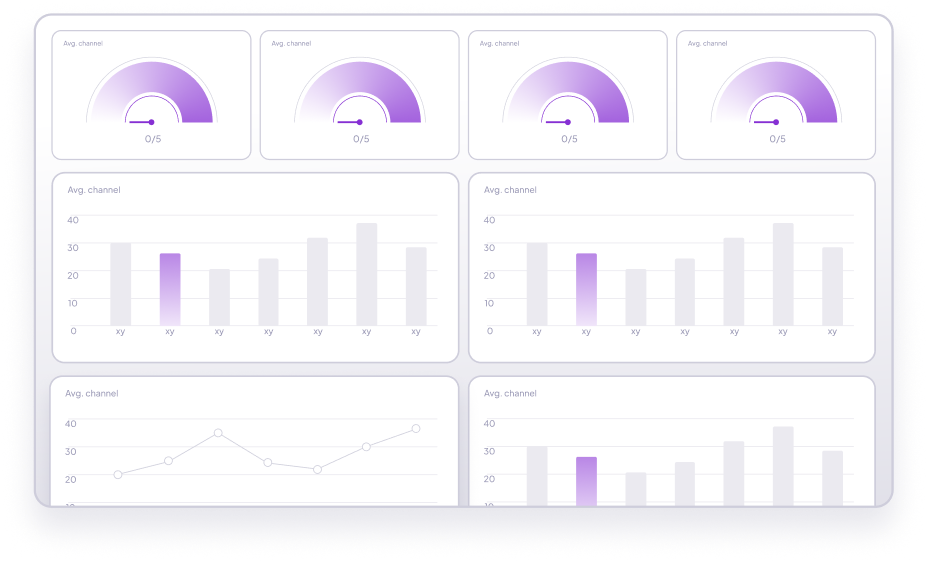
Lead-level Revenue Intelligence helps your team understand who is engaging. Demo-level analytics helps you understand how the content itself performs. Together, these analytics help teams understand three parts of demo performance:

Reach and consumption
demo views, sessions, identified viewers, and time spent, so you know whether your demos are getting in front of buyers at all.
.png)
Content performance
demo views, sessions, identified viewers, and time spent, so you know whether your demos are getting in front of buyers at all.
.png)
Team usage
demo views, sessions, identified viewers, and time spent, so you know whether your demos are getting in front of buyers at all.
Traditional demo analytics tells you how an asset performed. Revenue Intelligence connects that performance with the leads behind it, so your team knows who is showing interest, what they care about, and how engagement develops across the buyer journey. Here is what that changes for each team:
Analytics helps your team understand buyer behavior inside Demoboost. Global Webhooks help selected demo events trigger action in the rest of your revenue stack.
Global Webhooks support five triggers:
Demo Created
Demo Opened
Demo Completed
Demo Abandoned
Lead Form Submitted
Each event includes the demo's tags, so you can route and score by demo type, not just by the event itself.
Setup takes a few minutes: see the step-by-step Global Webhooks guide to connect your first workflow.
.png)
Using middleware such as Zapier, Make, or Workato, teams can send these events to CRM, marketing automation, sales engagement, communication, and reporting tools. For example, you can:
Which leads should sales contact first?
What should the conversation focus on?
Which product area matters most to this buyer?
Is their interest growing or cooling?
Every demo view, replay, and drop-off is a signal. Demoboost turns those signals into your team's next best follow-up.

Demo analytics software tracks how people interact with product demos. Depending on the experience, this can include views, sessions, completion, time spent, screen engagement, drop-off, CTA interactions, repeat visits, and lead-level activity.
Product analytics measures how users interact with a live software product. Demo analytics measures engagement with controlled demo experiences used across marketing, sales, presales, partner enablement, and customer education.
A demo-qualified lead is a lead that meets qualification criteria defined partly through demo behavior, such as submitting a lead form, completing a high-intent demo, or returning to a demo repeatedly. There is no universal demo-qualified lead formula. Each company should combine demo engagement with its own fit, lifecycle, and qualification criteria. To learn how demo data can support lead scoring and routing, explore the Demo-Led Revenue Intelligence playbook.
Lead-level analytics is available when the viewer's identity is captured through the demo experience or another supported identification method. Demoboost does not automatically identify every anonymous visitor.
Demoboost displays lead engagement information and scoring within Revenue Intelligence. Teams can also use supported demo events as inputs in their own CRM or marketing automation scoring models.
Global Webhooks support five triggers: Demo Created, Demo Opened, Demo Completed, Demo Abandoned, and Lead Form Submitted. Each event includes the demo's tags. For setup instructions, see the Global Webhooks guide.
Through Global Webhooks and middleware such as Zapier, Make, or Workato. Demoboost sends demo events, including the demo's tags, to your CRM, marketing automation, or sales engagement tools, where your team defines the scoring and routing logic. The connection is webhook based rather than a native CRM connector.
The Revenue Intelligence Leads view includes search, filters, date-based comparison, and CSV export.