




1. Personalize the Entry Point
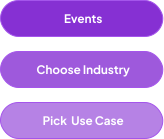
Use Choose Your Own Journey entry screens to segment visitors immediately based on:
- Role (e.g., Sales Leader, Marketing Ops, CS Manager)
- Industry (e.g., SaaS, Financial Services, Healthcare)
- Use case (e.g., Onboarding, Product Analytics, Customer Support)
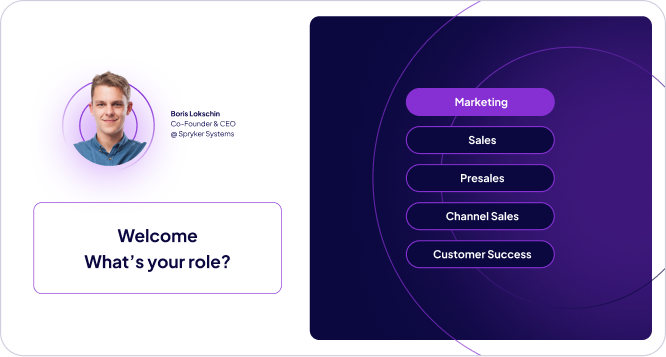
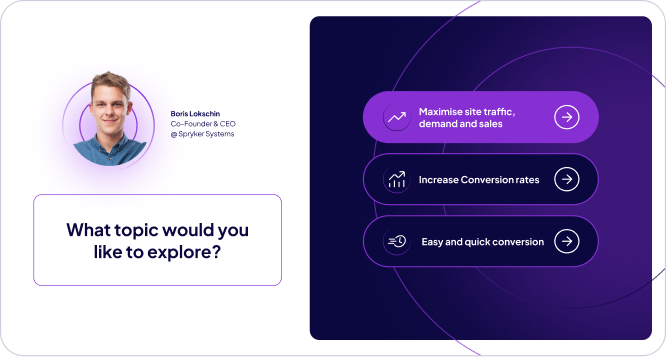
This ensures each visitor sees a relevant narrative tailored to their context—not a generic product walkthrough.
Demoboost Implementation:
Use the Great Demo add-on to structure role- and use-case-based demo paths via Playlists and entry screens. Apply Variables for gated demos when personalization is required.
2. Use Ungated Access with Smart Lead Capture
Provide the demo without requiring a form upfront. Progressive engagement builds trust and allows buyers to experience value before sharing contact information.
When to Ask for Information:
- After the demo demonstrates clear value (e.g., on the ending screen)
- When a visitor clicks a high-intent CTA like "Talk to Sales" or "Get Pricing"
- Via floating CTAs that appear contextually during the demo
Lead Tracking Without Forms:
Even ungated demos capture valuable intent signals:
- Embed Google Tag Manager (GTM) or similar tracking to build remarketing audiences from demo viewers
- Use cookie-based tracking to associate anonymous demo sessions with known contacts once they convert elsewhere on your site (e.g., newsletter signup, resource download)
- Sync engagement data to your MAP/CRM to enrich lead profiles and trigger nurture sequences
This approach maximizes top-of-funnel reach while still feeding your demand engine.
Try our Add-ons to increase your demos’ engagement and interactivity.
3. Place the Demo Where Buyers Look First
Recommended Placements:
- Above the fold on the homepage hero section
- Primary CTA in navigation ("See it in action" or "Try demo")
- Product page headers for feature-specific demos
- Pricing page to show value before buyers evaluate cost
The demo should be immediately visible and accessible from any entry point on your site.
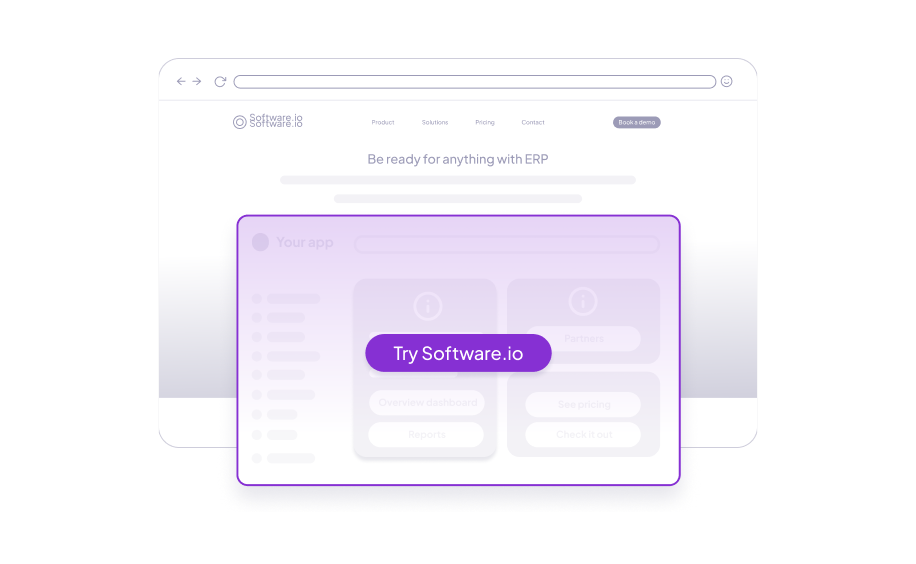
Demoboost Implementation:
Use embed links or iFrame code to deploy demos directly into your website—no developer handoff required.
4. Structure the Demo Around Buyer Value
A high-converting Home Page demo follows this arc:
Step 1. Choose Your Own Journey
Present role, industry, or use-case options to personalize the experience.
Step 2: Start with the Problem
Open with the pain point in the buyer's language (e.g., "Sales teams waste 10+ hours per week on repetitive demo prep").
Step 3: Show the Outcome First
Lead with the result or transformation your product delivers—don't bury the value in feature explanations.
Step 4: Explain Key Capabilities
Focus on concepts and workflows, not exhaustive feature lists. Show 2-3 high-impact use cases.
Step 5: Close with Clear Next Steps
Reinforce the value delivered and provide an obvious path forward (see CTAs below).
5. Drive Progression with Strategic CTAs
Effective Home Page demos use layered CTAs to guide different buyer intents:
Initial Orientation CTA
Invite interaction early (e.g., "Choose your role to see a personalized demo").
In-Demo Sharing CTA
Use Demoboost’s floating CTA buttons or ending screens to present a “Share this demo” link that attendees can forward to colleagues. Demoboost supports shareable demo URLs and in-demo lead capture for tracking downstream engagement, even though it doesn’t currently offer a native automated share dialog.
Ending Screen CTA
Present clear next actions using custom ending screens:
- "Book a personalized demo"
- "Explore more use cases" (link to Demo Gallery)
- "Start your free trial"
- "Download the buyer's guide"
Demoboost Implementation:
Use floating CTAs, in-guide CTA buttons, and custom ending screens to offer contextual next steps based on viewer engagement.
Try our Add-ons to increase your demos’ engagement and interactivity.
6. Best Practices
Screens
5–13 interactions recommended for focused flows.
Target time
~2–3 minutes total engagement on average.
Completion
≥40–60% for strong demos.
First value visible within 30–60 seconds.
Design Principles
- Prioritize outcomes over mechanics: explain what buyers achieve, not which buttons they click
- Use visual hierarchy: let the interface tell part of the story while guides provide context, not exhaustive explanation
Why this matters
High-performing interactive demos typically fall within the 2–3 minute range and achieve 40–60% completion rates. Completion drops sharply as demos exceed 3–5 minutes. Brevity forces teams to focus on core value and outcomes instead of feature depth, making the experience easier to finish, easier to share, and more effective at driving next-step actions.
Guide Design
- Guides per screen: 1–3 small, purposeful cues.
- Guide length: 15–30 words suggested for clarity.
- Guide placement: Lead the eye naturally—start top-left, move toward action areas
Principle
Each guide should advance understanding or drive interaction. If a guide doesn't serve one of these purposes, remove it.
7. Role in the Buyer Journey
At the Awareness stage, the Home Page demo:
- Replaces generic messaging with hands-on product experience
- Enables self-education before buyers are ready to engage sales
- Filters unqualified visitors through behavioral engagement data
- Prepares prospects for deeper exploration via Demo Galleries, sales conversations, or targeted nurture
Try our Add-onsto increase your demos’ engagement and interactivity.
8. Success Metrics (industry patterns)
Engagement:
- Demo engagement rate: 35–45%+ (engaged users past first step).
- Demo completion rate: 40–60%+ for high-performers.
- Average time in demo: 2-4 minutes for completed sessions
Conversion
- CTA CTR: 20–30%+ for contextual, role-based CTAs.
- Demo dialogs can boost page conversion by ~8× vs no demo.
Pipeline impact
- Interactive demos in conversion pipelines can achieve ~38%+ close rates vs traditional methods.
Demoboost Analytics tracks all of these metrics natively, with drill-down views by entry choice, path taken, and drop-off points.
9. Common Pitfalls to Avoid
- Gating the demo too early – Friction kills exploration; ask for info after value is shown
- Making it too long – Demos over 5 minutes lose 60%+ of viewers before completion
- Explaining features instead of outcomes – Buyers care about results, not UI mechanics
- Hiding the demo below the fold – If visitors have to hunt for it, most won't find it
- Using the same demo for all visitors – Personalization drives 2-3x higher engagement