




1. Structure for Quick Value Recognition
Build demos that lead with outcomes, not technical specifications.
Recommended structure:
Start with Why:
- Explain the problem this feature solves
- Build focused micro-demos (5-10 screens) addressing each challenge
A-ha Screen:
- Show one clear visual demonstrating the feature's value
- Show one clear visual demonstrating the feature's value
Guided Path:
- Walk through the essential steps to use the feature
- Keep it focused—5-8 screens maximum for feature demos
Benefit Recap:
- Summarize how this improves their workflow or results
- Connect to business outcomes, not just capabilities
Clear CTA:
- Primary: "Try this feature now" (link directly to product)
- Secondary: "Learn more" or "See related features"
Demoboost Implementation:
Build short, focused Tours (5-8 screens) | Use custom ending screens with action-oriented CTAs | Enable Autoplay for passive viewing in announcement contexts | Apply Variables to show customer-relevant examples
2. Distribution Strategy
Make feature demos accessible wherever customers already consume information.
Distribution channels:
Product updates & newsletters:
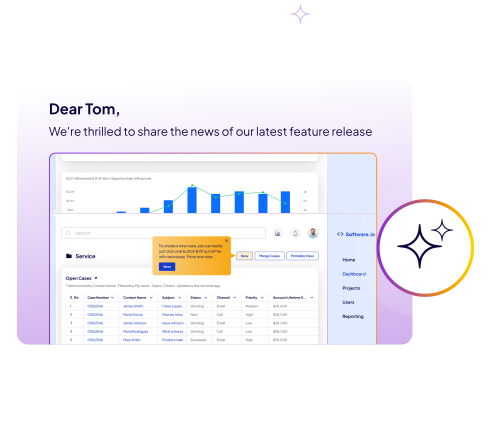
- Embed demo link with compelling thumbnail
- Replace long text explanations with interactive walkthroughs
In-app announcements:
- Trigger modal or banner with "See what's new" CTA linking to demo
- Time announcements to appear when users would naturally encounter the feature
Knowledge base & help center:
- Add demo to feature documentation for hands-on learning
- Replace static screenshots with interactive walkthroughs
Blog posts & social:
- Embed demos in launch blog posts
- Share on social channels to re-engage inactive users
Customer meetings (QBRs, check-ins):
- Use in live calls to demonstrate new value
- Share on social channels to re-engage inactive users
Demoboost Implementation:
Use embed links for blogs and knowledge base | Generate shareable URLs for emails and announcements | Enable in-product embedding for contextual triggers | Track referral sources to measure channel effectiveness
3. Keep Access Open
Use ungated demos to remove friction and encourage exploration.
Why ungating matters for existing customers:
- They're already customers—no need for lead capture
- Faster adoption when there's no barrier to learning
- Builds trust and demonstrates customer-first approach
Track engagement instead:
- Monitor which customers view feature demos
- Identify customers who haven't adopted key features
- Use engagement data to trigger proactive CSM outreach
Demoboost Implementation:
Keep demos ungated | Sync engagement to CRM at account level | Configure alerts when high-value accounts view expansion-related feature demos | Track completion rates by customer segment
4. Best Practices
Launch Demos Simultaneously with Features
Don't wait weeks after release—educate customers immediately when features go live.
Keep Demos Short
Feature demos should be 2-3 minutes maximum. Focus on core value, not comprehensive coverage.
Update Alongside Product
When features evolve, update demos immediately to prevent confusion and support tickets.
Segment by Relevance
Not all features matter to all customers. Target demos to relevant segments (by plan, role, or usage pattern).
Measure Adoption Impact
Track whether demo viewers actually adopt the feature at higher rates than non-viewers.
5. Role in the Buyer Journey
At the Adoption stage, new feature demos:
- Turn product updates into value moments rather than confusion points
- Drive continuous product engagement by helping customers discover new capabilities
- Create expansion opportunities by introducing premium features through hands-on exploration
- Reduce support burden by proactively educating before questions arise
Feature demos shift the conversation from "What changed?" to "How does this help me?"
6. Success Metrics
Engagement
- Demo view rate: Percentage of active customers who access feature demos; benchmarks often range 40–60% for new releases.
- Demo completion rate: Tracks how many viewers watch the full demo—indicates clarity and relevance of content.
- Time from feature release to demo view: Shorter intervals suggest effective communication and immediate interest in new functionality.
Feature Adoption:
- Feature adoption rate: Comparison of demo viewers vs. non-viewers; demos can boost adoption by 1.5–2x.
- Time to first use after demo view: Measures how quickly customers move from learning to action—helps identify friction points.
- Feature usage depth: Tracks basic vs. advanced usage, signaling whether users are leveraging full product value.
Expansion Impact:
- Upsell/cross-sell triggered by premium feature demos: Tracks demos that directly influence expansion opportunities.
- Plan upgrade rate: Customers exposed to tier-specific features are more likely to upgrade within 30–60 days.
- Expansion revenue correlation: Links demo engagement to actual revenue impact, highlighting the ROI of adoption content.
Pro Tip: Demoboost Analytics monitors demo engagement at the individual customer level, maps viewing patterns to adoption behavior, and surfaces features driving the most value—helping prioritize future content and product enhancements.
7. Common Pitfalls to Avoid
- Delaying demo creation until after feature launch: Build demos in parallel with development to accelerate adoption.
- Making feature demos too comprehensive: Focus on quick wins; deeper exploration can follow in self-serve paths.
- Using technical language: Frame demos around customer outcomes and value, not specs.
- No clear next action: Include prominent CTAs like “Try it now” linking directly to the product.
- Not updating demos when features evolve: Outdated content confuses users and increases support tickets.
- Sending demos to all customers indiscriminately: Segment by plan, role, or use case to maximize relevance and engagement.