
.png)
Learn how presales is evolving and howyour team can stay ahead in atech-driven sales landscape.

Interactive demo CTA best practices come down to three decisions: keep one persistent CTA visible on every screen, trigger contextual CTAs at the exact moment a high-value feature lands, and match your copy to what the buyer just saw. Most demos get all three wrong. They save a single "Book a Demo" button for the final screen, long after a significant share of buyers has hit their decision point or dropped off. This guide covers CTA placement, big asks vs. small asks, copy that reduces friction, and how to turn CTA clicks into intent signals your revenue team can act on.
TL;DR
The core mistake in most interactive demos is treating the CTA as a closing move. Teams build a polished demo, walk prospects through every feature, and drop one button at the very end. By then, the conversion window has often closed.
Buyer peak interest is not the final screen of your demo. It is the moment a prospect sees the specific capability that solves their problem. When that moment passes without a relevant next step, you lose the click, and you lose the intent signal that click would have generated.
The best practices in this guide follow one discipline: treat every CTA as a revenue signal, not a navigation button. That means deliberate placement, a dual-ask structure, specific copy, and analytics that route CTA behavior back to sales, presales, and RevOps.
For context on scale: Demoboost customer Celonis runs demos that draw 4,300+ monthly views with a 9-minute average session. That is a lot of buyer attention. Whether it converts depends almost entirely on the CTA decisions below.
One of the most practical interactive demo CTA best practices is matching your ask to where the buyer actually is in their decision, not where you want them to be.
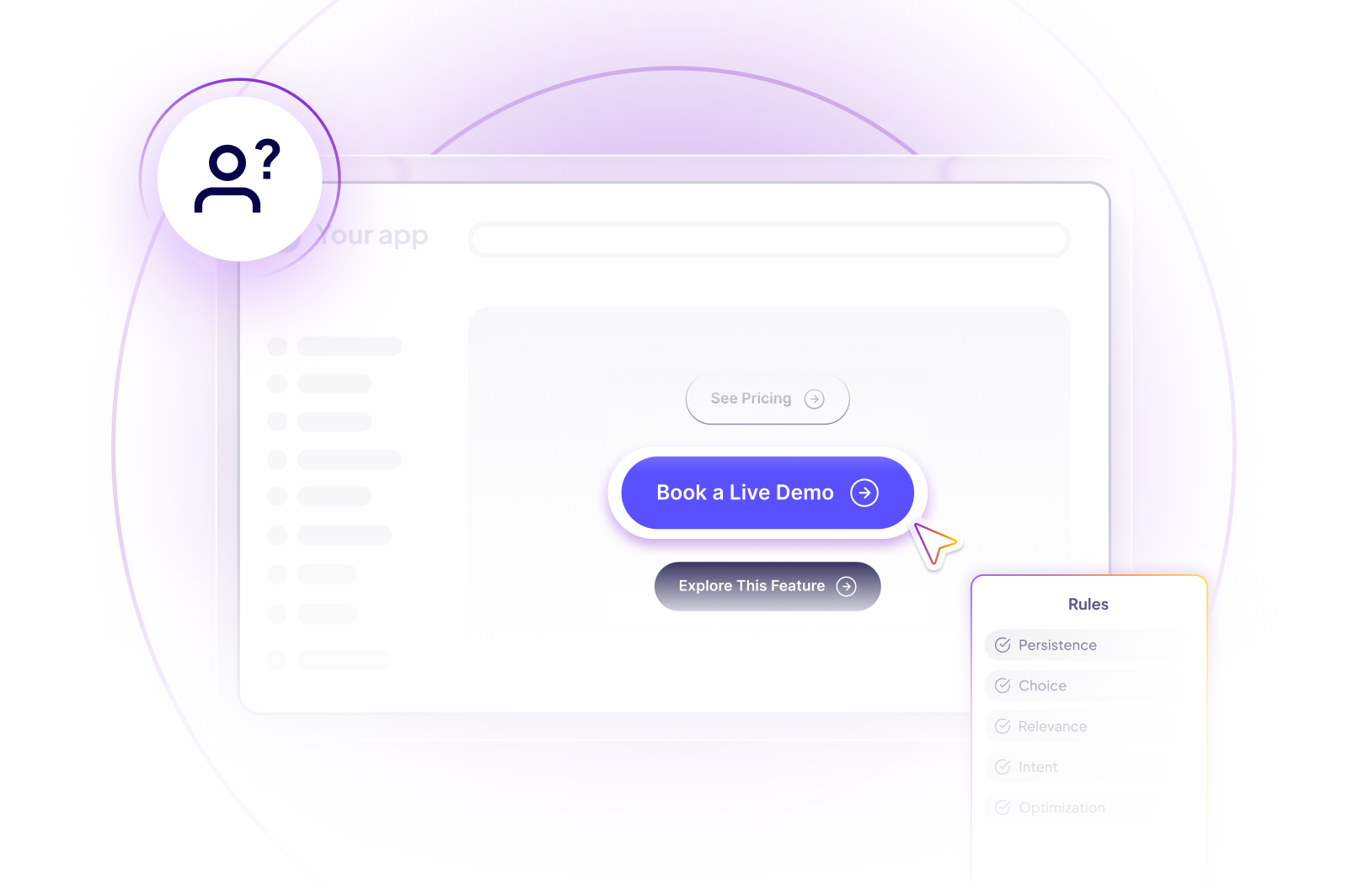
Big asks are high-commitment actions like "Book a Demo" or "Talk to Sales." They convert when a buyer has already formed intent: they have explored the product, seen value, and are ready to involve your team. Pushed too early, a big ask creates friction that stalls momentum.
Small asks serve buyers still in evaluation mode. Actions like "See Pricing," "View a Case Study," or "Explore This Feature" let prospects move forward at their own pace. These micro-conversions keep buyers engaged without demanding a commitment they are not ready to make.
Offering both in a single demo increases overall conversion without creating decision paralysis. Surface your big ask with confidence, but never leave an evaluation-stage buyer with nowhere to go.
In Demoboost: the dual structure maps directly to two features. The Floating Button carries your persistent big ask on every screen, while buttons inside Guides deliver small asks in context, step by step. The Pick Your Own Journey screen adds a third option: instead of forcing one path, it lets buyers route themselves to the use case that matters to them, which is itself a low-friction ask that generates a strong intent signal.
Placement determines whether buyers act on their interest or simply move on. There are two placement models, and high-converting demos use both.
Buyers do not move through demos in a straight line. Some skip to the one feature they care about. Others linger on a single screen for minutes. A persistent CTA is your safety net for that unpredictability.
In Demoboost, this is the Floating Button: a standalone CTA you can add to any demo screen. It stays visible throughout the demo and can send viewers to a contact form, a pricing page, a case study, or another part of the demo itself. Because it is not tied to a guide step or a branching flow, your most important next step is always one click away, no scrolling back, no hunting for a button when intent peaks.
Contextual CTAs work differently. They appear at the exact moment a high-value feature lands, right after a workflow automation reveal or a dashboard insight, when curiosity spikes and the ask feels natural rather than forced.
Demoboost gives you three ways to do this:
CTAs are not swapped dynamically based on where a viewer arrived from. They are set when the demo is built. That makes purpose one of the first engineering decisions: a demo built for a paid campaign, a demo embedded on the website, and a demo sent as a sales follow-up are three different assets with three different asks.
A visitor arriving from a paid ad is in discovery mode, so that demo's CTA should be "Take a Tour" or another low-commitment step. A prospect opening a demo from a sales follow-up email already knows your product, so that demo carries "Book a Demo." Trying to serve both audiences with one demo and one CTA guarantees the ask is wrong for at least one of them.
This is where a governed demo library earns its keep. Instead of one generic demo stretched across every channel, teams maintain purpose-built variants, each engineered with the CTA that matches its audience's arrival intent. Duplicating a demo and adapting its Floating Button, Guide buttons, and Ending/CTA screen for a new purpose takes minutes. Sending a discovery-stage buyer a bottom-of-funnel ask costs you the conversion.
Placement strategy pays off or falls flat on copy. The right words at the right moment remove hesitation. The wrong ones create it.
The best demo CTAs do not ask for a meeting. They offer the next logical step in the buyer's discovery. Three principles follow from that:
Name the outcome, not the action. "Build My First Report" tells a buyer exactly what they will accomplish. "Get Started" tells them nothing. When the demo has just shown a reporting workflow, the CTA should mirror that capability, reinforcing the moment instead of resetting it.
Reduce perceived commitment for mid-funnel buyers. "See It in Action" carries almost no risk in a buyer's mind. "Talk to Sales" signals a conversation they may not feel ready for. For evaluation-stage traffic, the lower-stakes label keeps buyers moving instead of bouncing.
Capture the aha moment. When a buyer sees the feature that solves their specific pain, that is the highest-intent window in the entire demo. Copy that matches the demonstrated feature ("Automate This Workflow," "Try This for My Team") captures that intent before it fades. Generic copy squanders it.
In Demoboost: you do not have to write every variant by hand. The AI helper for Guides generates guide scripts including the CTA line from a prompt, tailored to the use case, so a rep personalizing a demo for a specific account gets a copy that names the buyer's context instead of defaulting to "Learn More." Variables take it further, letting the CTA reference the prospect's company or use case dynamically.
A CTA click mid-demo, especially a contextual one tied to a specific feature, tells you exactly where the buyer's interest peaks. That signal is far more actionable than a generic form fill.
Presales and sales teams who see CTA interaction data before a follow-up call know which use cases resonated, which features drove urgency, and where the conversation should start. The first call skips qualification theater and moves straight to value. The result shows up in cycle time: DevSkiller's Chief Revenue Officer reports the team condensed sales cycles by 32% on average with Demoboost, after demo wait times dropped from one week to zero days. More outcomes like this are on the shorten sales cycles page.
Demoboost's demo analytics tie CTA behavior to the rest of the engagement picture: which screens a buyer viewed, where they spent time, what they skipped, whether they returned. A prospect who clicks "See Pricing" after the workflow automation module is a different follow-up than one who abandoned after step two. That difference is what separates a lead from a demo-qualified lead, and it is why your team should call the right accounts first, with context already in hand.
The proof that engagement volume is worth instrumenting: GuideCX saw a 10x engagement lift with Demoboost, reaching 35,000+ monthly demo views. At that volume, CTA data is not a nice-to-have. It is the only way to prioritize.
Every high-converting interactive demo follows the same core discipline.
A single high-converting demo is a win. A system of them, tracked, integrated, and continuously optimized, is how revenue teams scale.
Most teams build demos in isolation: one presales engineer owns a template, reps adapt it manually, and CTA engagement data disappears the moment the prospect closes the tab. That is not a strategy. It is a bottleneck.
The shift starts when every demo interaction gets captured and routed to the people who need it. The Share modal's lead form identifies the viewer. Demo analytics record every CTA click, replayed section, and drop-off point. Connected to your CRM workflows, those signals reach reps before the follow-up call, so a prospect who clicked a pricing CTA three times in one session gets a different response than one who bounced after step two.
This is the difference between a demo tool and a demo revenue system. Demo creation is getting easier everywhere. Governance, seller adoption, and revenue visibility are still hard, and CTA data is one of the clearest places where that gap shows. A demo should not disappear after the meeting. It should become a reusable, trackable buying asset whose engagement is visible to sales, presales, marketing, and RevOps.
Demoboost is built for that transition: demo creation with Demoboost AI, seller workflows for finding and personalizing the right demo, and Revenue Intelligence connecting demo engagement to leads, accounts, and opportunities.
1. What is a CTA in an interactive demo?
A CTA (call to action) in an interactive demo is any prompt that asks the viewer to take a next step, such as booking a meeting, viewing pricing, reading a case study, or jumping to another part of the demo. In Demoboost, CTAs can be added as a Floating Button on any screen, as buttons inside Guide steps, on a dedicated Ending/CTA screen, or as routing options on a Pick Your Own Journey screen.
2. Where should CTAs be placed in an interactive demo?
Use both placement models. Keep one persistent CTA (a Floating Button) visible on every screen so intent is capturable at any moment, and add contextual CTAs (Guide buttons) immediately after high-value features, when buyer interest peaks. Close with an Ending/CTA screen carrying your primary ask.
3. How many CTAs should an interactive demo have?
Two asks per demo is the practical baseline: one high-commitment big ask ("Book a Demo") and one low-friction small ask ("See Pricing," "Read the Case Study"). More CTA instances are fine across screens, but they should ladder up to those two asks so buyers never face decision paralysis.
4. Should interactive demo CTAs be gated behind a lead form?
Gate based on funnel stage. For prospect-facing demos, Demoboost's Share modal lets you attach a customizable lead form before the demo starts, identifying anonymous viewers and feeding their data into your CRM. For existing customers (for example, feature adoption demos), keep demos ungated to remove friction.
5. What CTA copy converts best in interactive demos?
Copy that names the outcome and mirrors what the buyer just saw. "Automate This Workflow" after a workflow feature outperforms "Get Started" because it reinforces the moment instead of resetting it. For evaluation-stage buyers, low-commitment labels like "See It in Action" keep momentum better than "Talk to Sales."
6. How do you measure interactive demo CTA performance?
Track CTA clicks alongside screen-level engagement: which steps buyers viewed, where they spent time, what they skipped, and whether they returned. Demoboost's demo analytics tie CTA behavior to identified viewers and route it into CRM workflows, so performance is measured in pipeline influence, not just click counts.
7. What is a demo-qualified lead?
A demo-qualified lead is a prospect whose demo engagement signals real buying intent, such as repeated views, deep completion, time on pricing screens, or contextual CTA clicks. It is a stronger signal than a standard MQL because it reflects behavior with the product story itself, not just content downloads.
Book a live demo to see how Demoboost helps your team cut demo prep time, qualify buyers faster, and focus on real opportunities.
Book a Live Demo

.png)
.png)
