
.png)
Learn how presales is evolving and howyour team can stay ahead in atech-driven sales landscape.

Product demo software helps B2B teams build reusable, personalized, and trackable demos instead of rebuilding the same walkthrough for every deal. The 10 tools below fall into five practical groups: screen recording tools, interactive tour builders, sandbox platforms, live demo overlays, and AI demo agents. Choosing between them comes down to the formats you need, how demos are personalized and maintained, what the analytics reveal, whether engagement data reaches your CRM, and what the right plan actually costs. If you are still defining the category rather than comparing vendors, start with this guide to what demo automation is.
Every tool on this list can build a demo. The question that decides your shortlist is what happens to that demo after it is built.
Product demo software now falls into five main types. Many revenue teams use more than one across the same sales cycle.
Screen recording tools capture your product and turn the recording into a shareable video, GIF, or visual walkthrough. They are fast and easy to publish, but buyers watch rather than explore. This format works best for product updates, social content, onboarding, and simple asynchronous explanations.
Interactive tour builders capture screenshots, video, or HTML and turn them into clickable product stories. They work well on websites, in campaigns, and as follow-up assets because buyers can move through the experience at their own pace.
One boundary is worth setting early. This comparison covers standalone tour builders, the ones that create demos for prospects who have not signed up yet. A separate category of in-app tools, including Appcues, Pendo, and Userpilot, overlays guidance on your live product for people who are already logged in. Those tools solve activation, feature adoption, and onboarding rather than sales evaluation, and none of them appear below. If that is the problem you are solving, our guide to product tour software covers both groups.
Sandbox platforms create a simulated product environment that buyers can explore beyond a fixed click path. They require more setup than a simple tour, but they are better suited to complex products, evaluation-stage use cases, and buyers who need to test a workflow for themselves.
Live demo overlays let presenters adjust the product or demo environment during a call. They are useful when an SE needs account-specific data, logos, charts, or workflows without editing production data or maintaining a separate tenant for every scenario.
AI demo agents present product content without a human host. They can ask qualification questions, answer product questions, surface relevant workflows, and guide a buyer through a demo. This is the newest segment of the category, and the depth of the experience varies significantly between vendors.
Most buyer-facing agents in this comparison launched or entered wider availability in 2026, so a simple “Yes” does not indicate the same maturity across vendors. This article compares broader demo software suites across creation, delivery, governance, and analytics.
Vendors use the word “agent” for two different capabilities.
A builder-side AI assistant (editor) acts as an agent for the person creating the demo. Instead of editing elements one by one, the builder describes the desired outcome in natural language, and the AI carries out coordinated changes across a screen or entire demo. It can adapt the experience for a new industry, account, or persona, localize language, currencies, dates, and data, update charts and visuals, apply branding, remove sensitive information, insert variables, and generate narration. This turns a complex, multi-step editing job into a single guided request while keeping the builder in control.
A buyer-facing AI agent interacts with the prospect. It can qualify the visitor, answer questions, select relevant demo content, and guide the experience without a seller or SE in the room.
The first saves your team time. The second changes how the buyer experiences the demo. When comparing AI claims, always ask which side of the experience the AI serves.
Evaluate the tools on six criteria. The first two determine whether you can create the demo you need. The remaining four determine whether the platform will continue to work once more teams, assets, and opportunities are involved. This post focuses on the vendor shortlist. The broader demo automation software guide explains how these capabilities fit across the revenue process.
Start with the moments in which buyers need to experience your product.
Check which formats are included in the plan you can afford. Several vendors reserve HTML capture, sandbox demos, advanced governance, or AI agents for higher tiers or paid add-ons.
Personalization is how quickly a team can adapt a demo for a specific account, industry, persona, or use case. Look beyond simple text replacement. The tool should make it easy to update branding, images, data, charts, terminology, and complete sections without rebuilding the demo element by element.
During a trial, ask the vendor to transform a generic demo into an account-specific or industry-specific version. Check how many manual steps the process requires and whether changes can be applied consistently across multiple screens.
Maintenance is how easily the team can keep demos accurate as the product evolves. A platform may support impressive personalization but still create significant upkeep if every product release requires a full recapture or manual updates across multiple demo versions.
During a trial, ask the vendor to update a screen or shared piece of content used in several demos. Check whether the change can propagate to connected versions, including personalized demos, without breaking their custom content. Also ask how the platform handles outdated screens, shared templates, and product-wide changes.
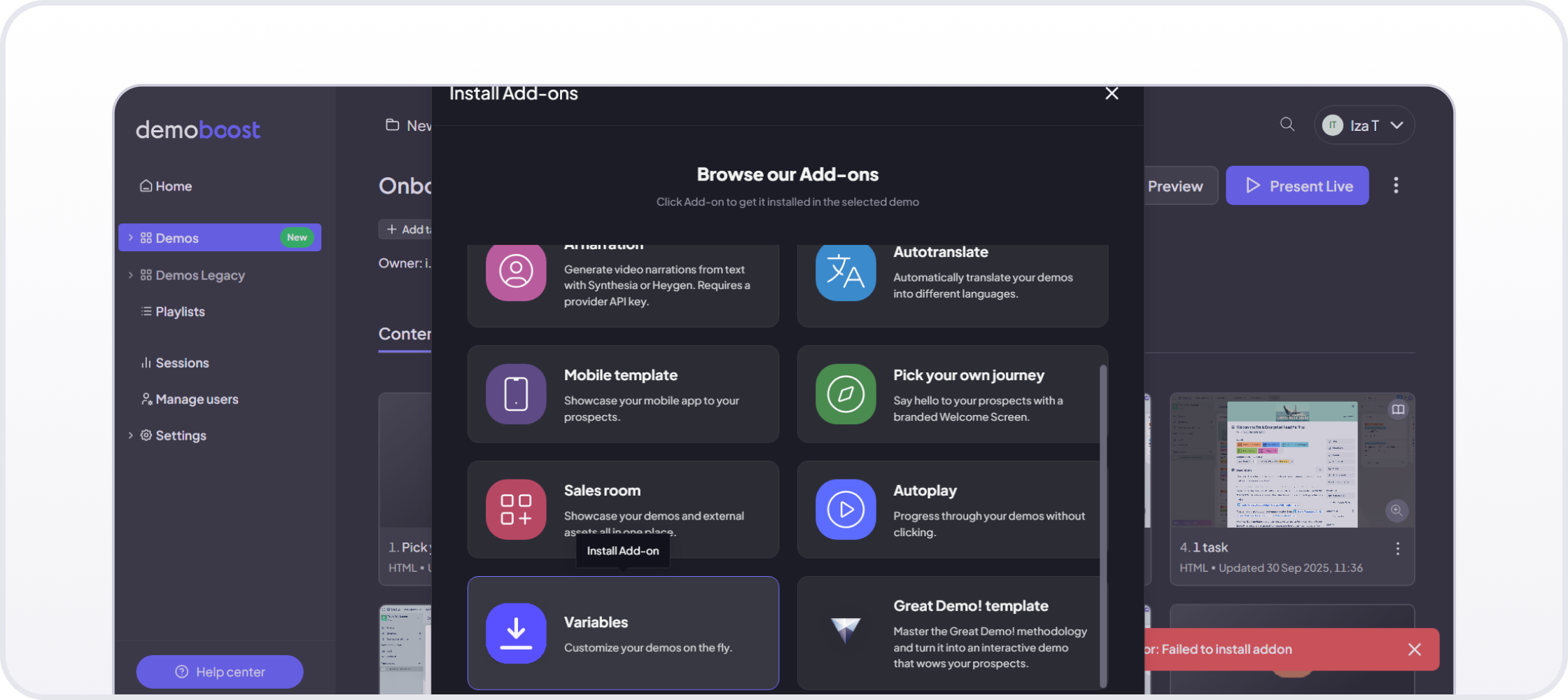
Almost every demo platform reports views and completion. More advanced platforms turn demo engagement into revenue intelligence at the lead level. They show which leads are hot, warm, or cold based on repeat visits, completion, time spent, screens viewed, CTA clicks, sharing activity, and recent engagement, plus how that engagement changes over time. This helps revenue teams prioritize follow-up based on demonstrated buyer behavior, not just form submissions or assumptions.
The useful test is simple: can a seller quickly identify which opportunities are showing strong buying intent and should be prioritized, and which have gone quiet and need re-engagement? If the data cannot help the team decide where to focus next, it is reporting rather than revenue intelligence.
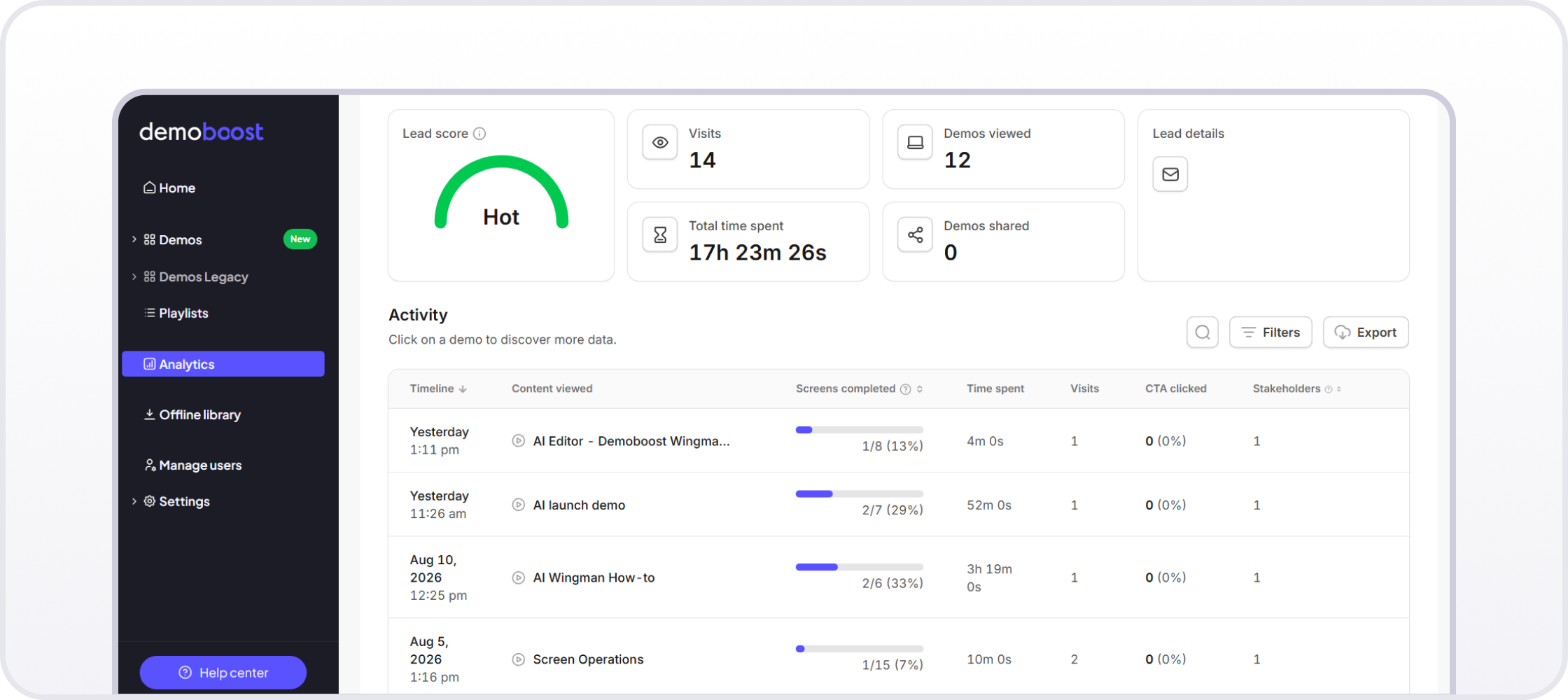
Demoboost analytics view
A demo should not live only inside the tool used to build it. Check whether the same asset can be embedded on a website, shared through a personalized link, added to a digital sales room, used during a live call, and passed to another stakeholder after the meeting.
This matters because buyers rarely evaluate complex B2B software in one session. The strongest demo workflow gives each stakeholder a relevant way to return to the product story without asking the SE to repeat the same tour.
In Demoboost, Playlists group several demos into chapters and subchapters behind a single link, so buyers open the sections that match their priorities instead of moving through everything in a fixed order. A chapter can point to a specific screen inside a demo, and the sidebar collapses when a buyer wants the full screen. Engagement with those demos is captured against the lead, so sellers can see which demos a buyer viewed, how long they spent, and where they dropped off. Choose Your Own Journey still covers branching inside a single demo. Playlists cover distribution across several.
Ask how demo engagement reaches the systems your team already uses. Some vendors provide direct CRM connections. Others send events through webhooks and middleware such as Zapier, Make, or Workato. Many offer both on different plans.
The mechanism matters less than the outcome. A rep should be able to see that a buyer returned to a pricing, security, or integration screen without opening another dashboard and searching manually.
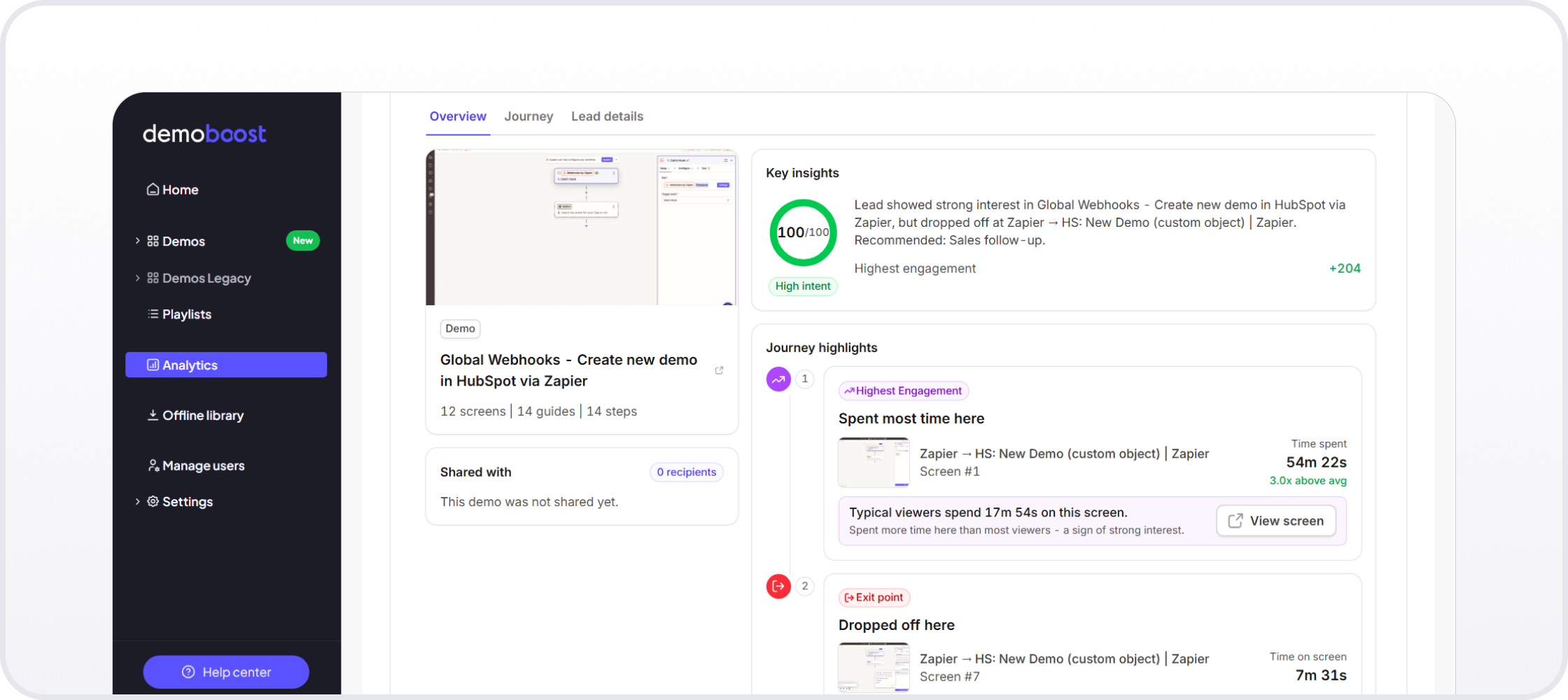
Demoboost Analytics overview
For example, Demoboost’s org-wide Global Webhooks can connect demo activity with almost any tool in your revenue stack, either directly or through automation platforms such as Zapier, Make, or Workato. The supported triggers are lead form completion, demo creation, and demo completion, which teams can use to launch workflows across CRM, marketing automation, sales engagement, communication, and BI tools.
Governance becomes important as soon as several people create, personalize, or share demos. Look for folders, permissions, approved templates, version control, demo locking, naming conventions, and a library sellers can search by product, persona, industry, or sales stage.
Also test the seller experience. A sophisticated platform will still fail if AEs cannot find the right demo or safely personalize it without help from presales.
The table below summarizes each vendor’s primary approach, more advanced delivery options, buyer-facing AI, and public entry price. Pricing and product information were checked against official vendor pages in August 2026. The price column uses the lowest public paid rate displayed by each vendor, while the final column states the billing basis. Compare contract length, included seats, add-ons, and implementation services before treating two monthly figures as equivalent.
*Consensus acquired Saleo in June 2026. Saleo remains separately branded and markets a distinct product suite, so it is evaluated separately in this comparison.
Agent availability does not establish equal maturity*. The products above use different interaction models, and several launched in 2026. Test off-script questions, escalation to a person, unsupported requests, analytics, and current production status during evaluation.
The numbering below is for navigation, not a universal ranking. The best choice depends on what your team needs to build, how buyers should explore it, and how much operational complexity you can support.
*AI-agent source record, verified August 2026: Consensus documents buyer-facing agents that qualify, present, demonstrate, and guide product experiences on its official AI Agents page and 2026 launch page. Supademo documents an autonomous AI Demo Agent and states that it is a usage-based add-on for Growth and Enterprise. These sources verify availability and packaging, not equal maturity.
Best for: Presales and sales teams selling complex B2B software that need multiple demo formats, governed reuse, advanced personalization, consistent live delivery, and buyer engagement intelligence across longer sales cycles.
Demoboost supports HTML, screenshot, video, mobile, and sandbox demos. Presales teams can create approved templates, organize them in a governed library, and let sellers personalize content for specific accounts, industries, personas, and use cases without rebuilding the experience.
Demoboost AI supports prompt-based editing, chart and data personalization, variables, AI avatar narration through Synthesia or HeyGen, and translation into more than 170 languages. Teams can localize interface text, guides, speaker notes, currencies, dates, and narration while maintaining one governed source demo.
Wingman AI acts as a builder-side editing agent. Instead of changing elements individually, the builder describes the desired outcome in natural language. Wingman can rewrite content, replace imagery, repopulate charts, restructure layouts, restyle UI elements, remove irrelevant content, and transform a generic experience for a specific industry or persona. It summarizes the proposed changes for review, keeping the builder in control.
Scheduled for September 2026, the next version of Wingman will extend this workflow across an entire demo. Builders will be able to apply coordinated UI, content, data, branding, localization, and industry-specific changes across multiple screens from one prompt.
With Demoboost, you can repopulate charts with scenario-specific data using one prompt.
Demoboost also supports sales enablement during live calls. Presales teams can add screen-specific Speaker Notes containing talking points, product facts, and strategic prompts that are visible only to the presenter. During a Live Session, sellers can use the navigation toolbar to move between screens, reveal guides or links when needed, and adapt the path in real time based on buyer questions. This helps teams standardize the story while giving sellers enough flexibility to run a relevant conversation without relying on separate notes or constant presales support.
Once a demo is published, teams can deliver it through a shareable link, website embed, Digital Sales Room, live presentation, or Playlist. Playlists combine approved demos and screens into structured buyer journeys with chapters and subchapters, giving each stakeholder a relevant path without requiring the team to build another demo.
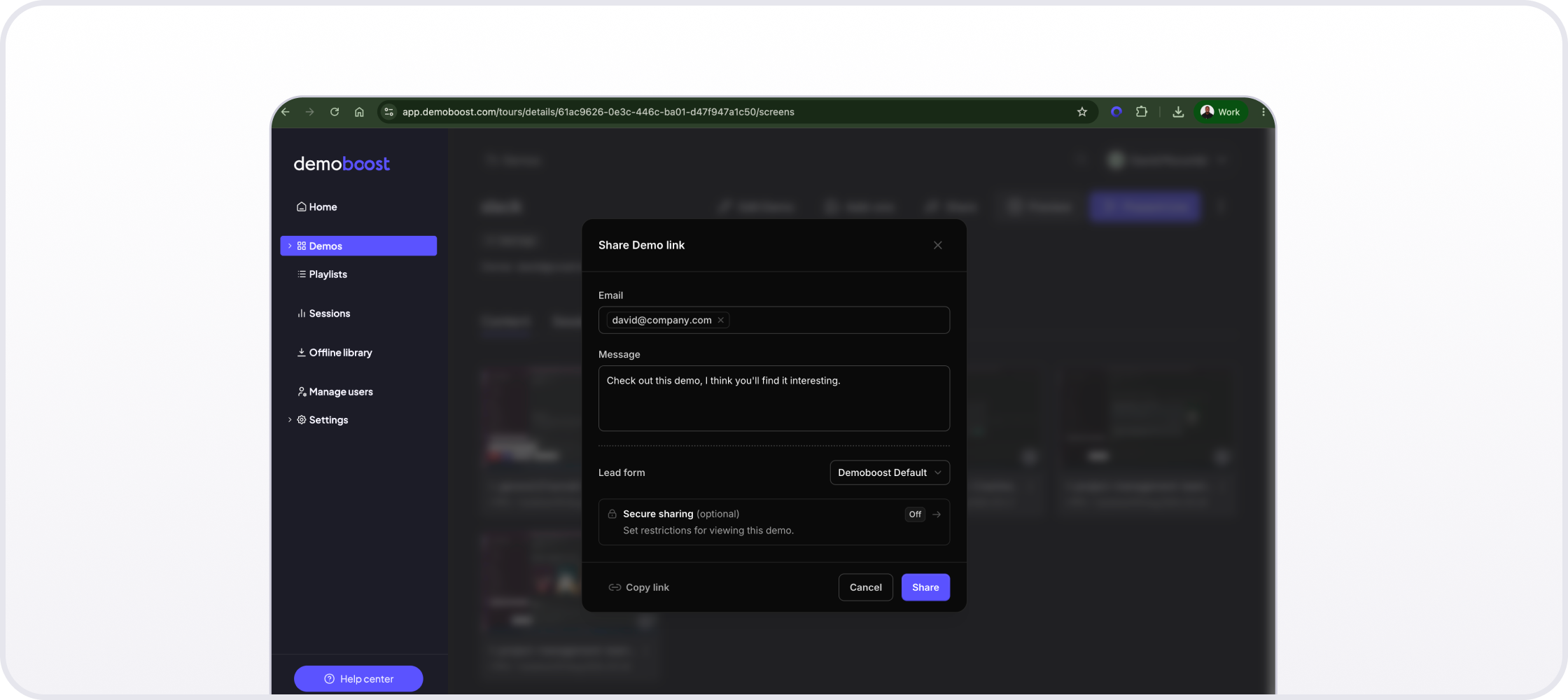
A shareable demo link lets a team reuse the same approved product story before, during, and after a sales conversation.
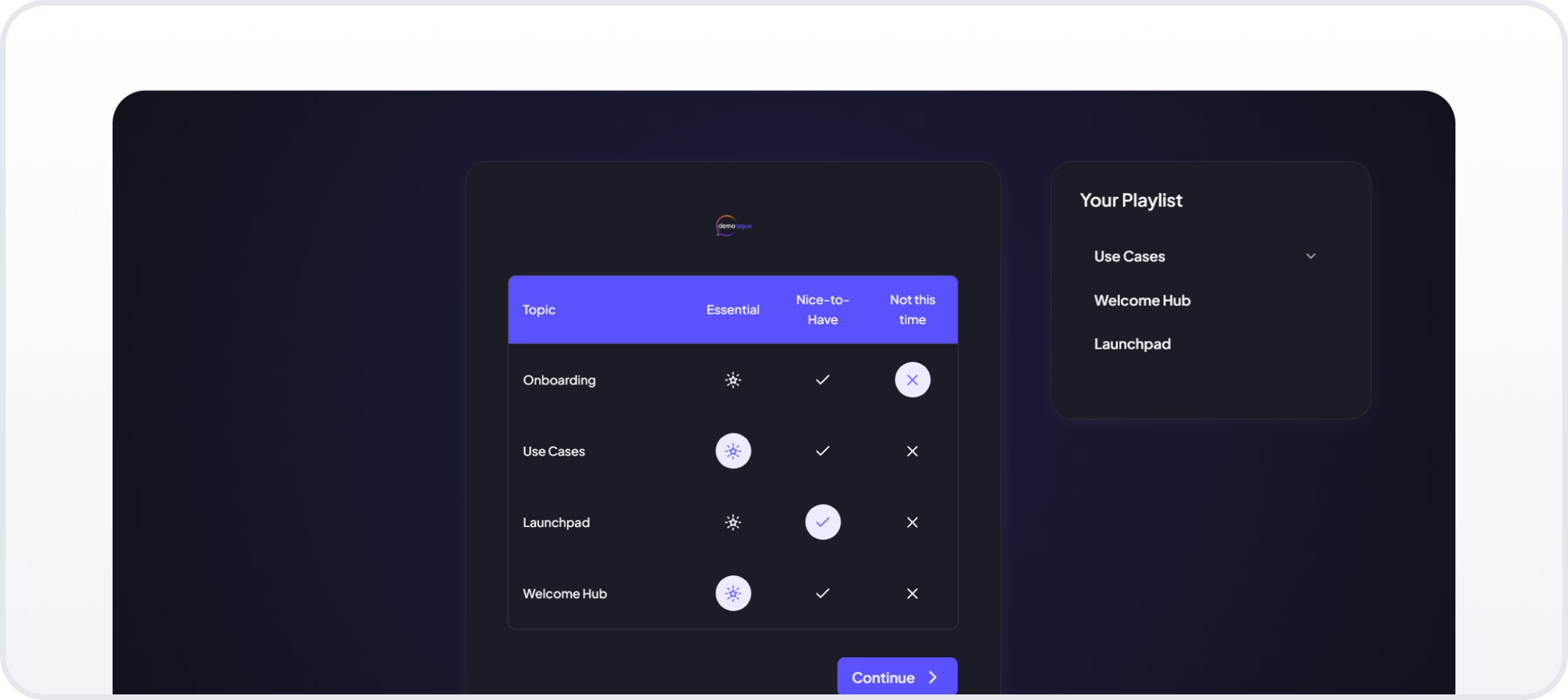
Your Playlist in Demoboost app
Revenue Intelligence helps sellers identify which leads are warm, which are gaining momentum, and which have gone quiet based on recent engagement, repeat visits, completion, screens viewed, CTA clicks, and sharing activity.
Global Webhooks provide an organization-wide routing layer for demo activity. They can connect Demoboost directly to any system that accepts webhook data or to more than 10,000 apps through Zapier. Teams can use these connections to update CRM records, trigger lead scoring and nurture workflows, alert sellers, notify Slack channels, launch sales sequences, and send demo data into reporting and BI tools.
Strengths: Broad demo format coverage, governed templates and libraries, controlled seller personalization, and advanced builder-side AI for coordinated content, UI, data, localization, and industry-specific changes. Demoboost also supports sales enablement through presenter-only Speaker Notes, flexible live navigation, and Playlists. Digital Sales Rooms, online and offline delivery, Revenue Intelligence, Global Webhooks, and native CRM integrations help teams use demos throughout the sales cycle. Published pricing, ISO/IEC 27001 certification and EU data hosting add transparency and enterprise readiness.
Considerations: Demoboost’s AI assists the person building or editing the demo rather than autonomously presenting to the buyer. Whole-demo Wingman editing is scheduled for September 2026. Until then, Wingman applies changes at the screen level. Sandbox demos, Revenue Intelligence, and native CRM integrations start on the Growth plan. Demoboost does not offer a self-serve free tier.
Pricing: Start Up is $375 per month, Essentials is $600 per month, and Growth is $1,200 per month, billed yearly. Enterprise pricing is custom.
Customer proof:
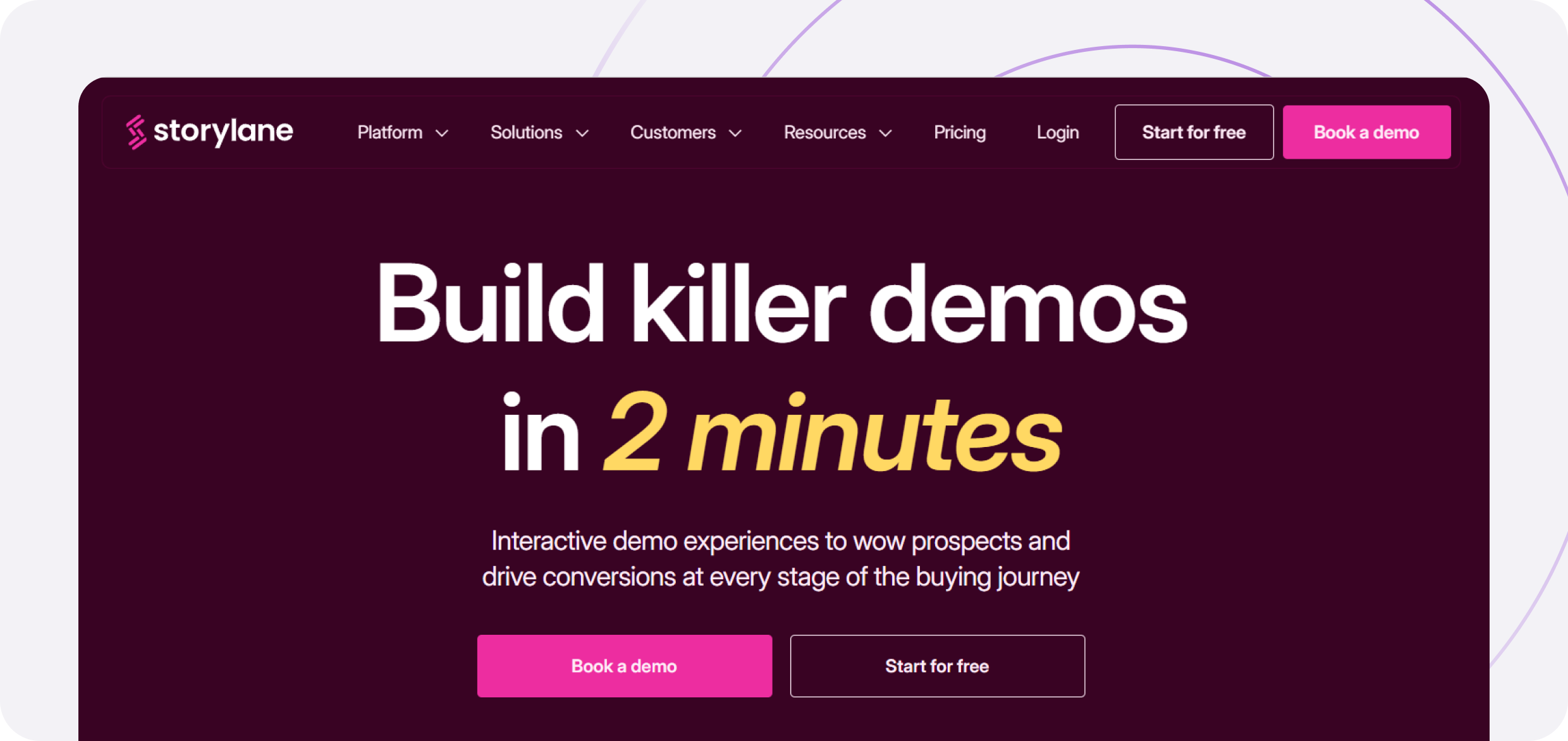
Best for: marketing and sales teams that want to publish guided demos quickly and connect them to qualification and buyer-hub workflows.
Storylane supports screenshot, video, and HTML demos, as well as Hubs. Sandbox demos are listed on Enterprise. Its AI features cover content assistance, voiceovers, translation, HTML editing, and personalization tokens. Storylane also offers buyer-facing conversational experiences through RepX and markets Lily as its demo automation agent, which remains in beta at the time of this update.
Strengths: quick setup, a free entry plan, broad content creation options, and a product range that spans website demos, sales follow-up, Hubs, and conversational qualification.
Considerations: HTML editing starts on Growth rather than Starter, while sandbox demos are on Enterprise. Teams should also check how Demo Suite, RepX, and beta access to Lily are packaged for their use case instead of assuming every AI capability is included in one plan.
Pricing: Free plan available. On yearly billing, Starter is $40 per month, Growth is $500 per month, and Premium is $1,200 per month. The month-to-month rates are $50, $625, and $1,500 respectively.
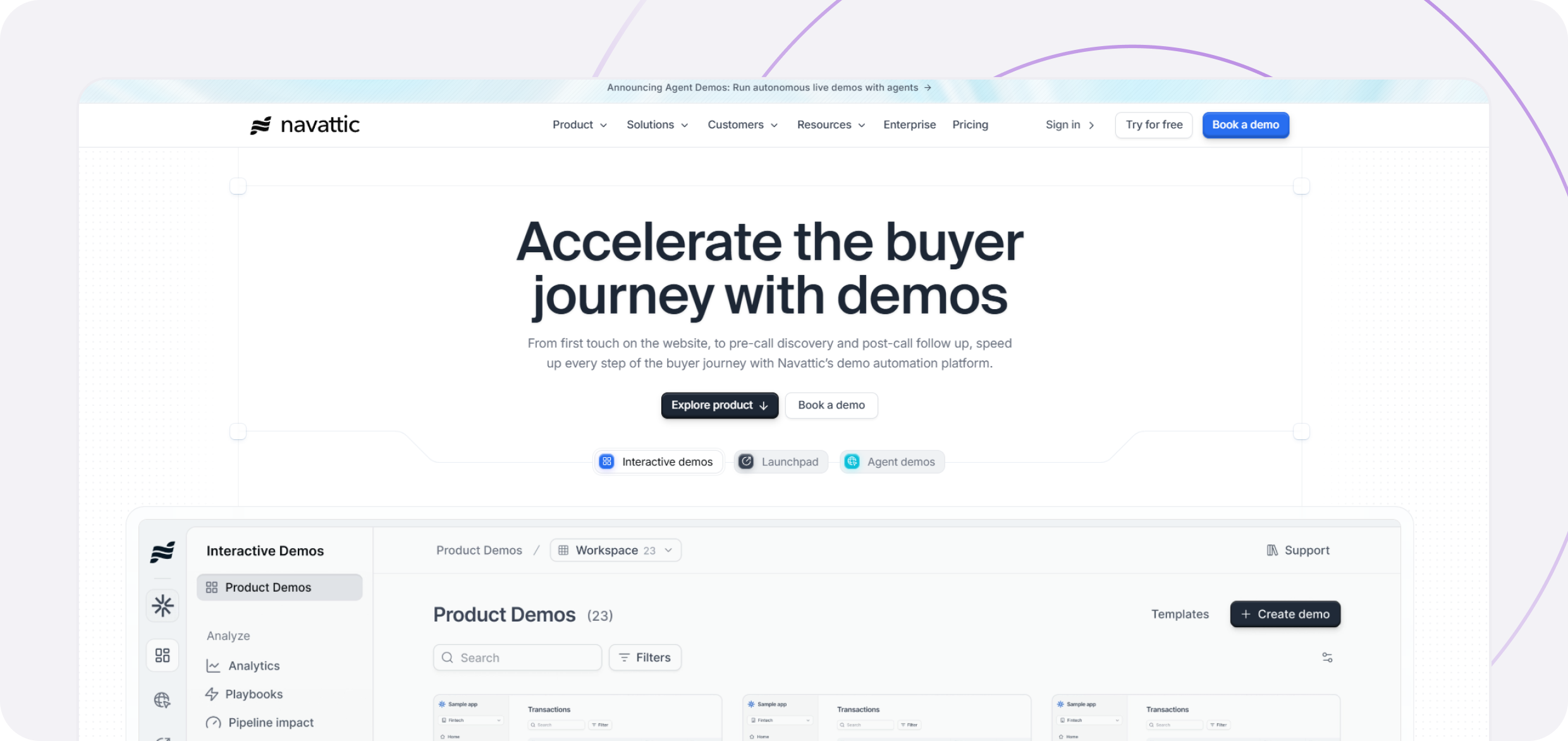
Best for: marketing and GTM teams that want HTML demos, sandbox experiences, account identification, and AI agents in the same product family.
Navattic combines interactive demos with Copilot for AI-assisted creation, Launchpad for sales workflows, and Navattic Agents for autonomous buyer conversations. Navattic introduced the agent product line in 2026. Its Base plan adds sandbox demos, account identification, A/B testing, advanced filters, and pipeline impact reporting.
Strengths: a strong marketing and analytics foundation, a free HTML demo, a clear upgrade path, and buyer-facing AI agents that can guide, qualify, and show product content in real time.
Considerations: advanced analytics, sandbox demos, and several integrations start on Base or higher. Teams buying both interactive demos and agents should confirm whether they are priced and administered together.
Pricing: Starter is free. Startup starts at $125 per month, Base at $500 per month, and Growth at $1,000 per month, billed annually. Enterprise pricing is custom.
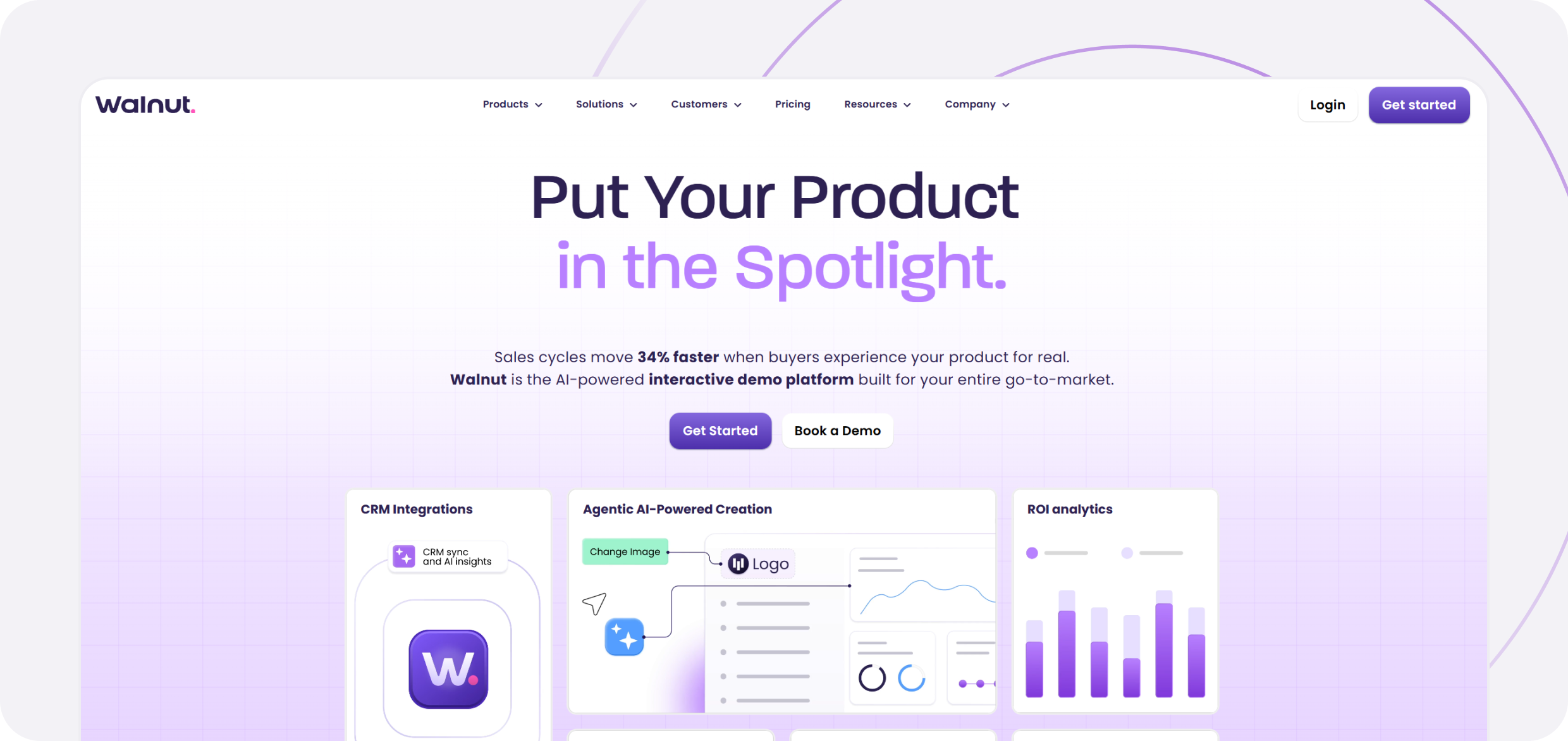
Best for: enterprise sales teams that want account-level personalization, interactive deal rooms, and CRM-connected demo engagement.
Walnut creates editable product demos from captured product experiences. Its AI tools support demo creation, voice-led capture, translation, and analytics. The platform also combines demos with buyer-facing Sales and Customer Hub Playlists.
Strengths: strong account personalization, buyer engagement tracking, HubSpot and Salesforce connections, and a deal-room experience designed for multi-stakeholder sales.
Considerations: sandbox demos, prospect personalization, advanced analytics, and SSO begin on Accelerate. Walnut’s current AI focus is primarily builder-side rather than an autonomous product presenter.
Pricing: Ignite is $575 per month, billed annually. Accelerate is $1,550 per month. Scale pricing is custom.
Best for: enterprise presales teams that need high-fidelity cloned environments, live data injection, and guided demos from one platform.
Reprise supports full application cloning for sandbox environments, guided product tours, and data injection for live applications or demo environments. Teams can change text, images, charts, and datasets without editing production data.
Strengths: broad enterprise delivery options, realistic sandbox experiences, live customization, role-based access, SSO, and reusable templates.
Considerations: Reprise is built for enterprise deployment rather than low-cost self-service. Buyers should test the effort required to create and maintain their most complex workflows, not only a polished sample flow.
Pricing: Reprise publishes its pricing model but not a numeric starting price. Pricing combines an annual platform fee with per-user licenses.
Best for: teams that lead with on-demand video, need strong stakeholder tracking, or want to combine video demos with tours, simulations, and AI agents.
Consensus began with personalized video demo automation and now offers product tours, product simulations, buyer signals, and AI agents. Its analytics emphasize stakeholder discovery, viewing behavior, and engagement across the buying group.
Strengths: video-led demo automation, personalized sales links, stakeholder analytics, and a mature set of marketing and sales integrations.
Considerations: product simulations are included in Enterprise rather than Starter or Pro. Consensus describes them as realistic, personalized environments for hands-on exploration. Buyers should not assume they are identical to a provisioned live sandbox and should test the required workflow directly.
Pricing: Starter begins at $600 per month for five users, billed annually. Pro starts at $1,250 per month for 10 users. Enterprise pricing is custom.
Best for: enterprise teams with technically complex products that need stable, high-fidelity simulations for selling, enablement, or partner training.
Demostack clones products into editable simulations so teams can customize data, workflows, and application states without depending on production. Its Builder Agent applies changes through natural-language instructions, while Demo Partner presents and guides the experience without a human expert in the room. Both agents launched in June 2026.
Strengths: deep product simulation, realistic data editing, support for complex workflows, and both builder-side and buyer-facing AI.
Considerations: high-fidelity simulations require more implementation and governance than lightweight screenshot tours. Buyers should test how the platform handles product updates and who owns ongoing maintenance.
Pricing: not publicly listed. Contact Demostack for a quote.
Best for: presales teams that want to demo inside the real product with account-specific data instead of maintaining a parallel sandbox.
Saleo injects editable data into a live application, allowing an SE to show realistic graphs, tables, workflows, and metrics for a specific scenario. Saleo Capture adds guided tours, while Saleo’s AI Demo Agent can run autonomous, multilingual demos with real-time buyer interaction and co-browsing. The agent launched in January 2026, so buyers should verify its current production status and supported workflows during evaluation.
Strengths: direct work inside the real product, realistic data personalization, no separate cloned environment, and a buyer-facing AI agent grounded in the demo data.
Considerations: Saleo’s architecture is designed around live-product data rather than a separate sandbox. Teams should confirm the implementation path, product compatibility, and level of vendor support required for their application.
Pricing: not publicly listed. Contact Saleo for a quote.
Best for: product marketing teams that want to turn one product capture into interactive demos, videos, GIFs, and social assets.
Arcade combines a Chrome extension, desktop capture, and Figma workflows with an AI-powered Creator Studio. Teams can add narration, translations, branching, calls to action, and brand styling, then publish the same source material in several formats.
Strengths: fast content production, strong visual polish, multi-format output, a free plan, and transparent per-seat pricing.
Considerations: HTML capture is reserved for Enterprise, and Arcade does not provide sandbox environments, live product overlays, or a buyer-facing AI demo agent.
Pricing: Free plan available. Growth is $42.50 per seat per month. Enterprise pricing is custom.
Best for: teams creating guided product demos, onboarding content, and visual documentation without enterprise implementation overhead.
Supademo supports guided interactive demos, video recordings, showcase collections, and sharing as links, embeds, video, or PDF. Growth adds HTML demos, sandbox demos, Route Hub, AI data editing, and an optional AI Demo Agent.
Strengths: low-friction creation, broad output options, a useful free plan, transparent pricing, and a path from simple guides to HTML and sandbox experiences.
Considerations: HTML demos, sandbox demos, and the AI Demo Agent are not part of the entry paid tier. Pricing scales by creator, so teams should model the number of people who need editing access.
Pricing: Starter is free. The public monthly rates are $38 for Scale with one creator and $350 for Growth with five creators. Additional Growth creators are $50 per month. Supademo offers an annual discount, and the AI Demo Agent is a usage-based add-on to Growth and Enterprise.
Work backward from where your demo process breaks today, not from a feature list. The failure modes below sit in different parts of the market, and the tool that fixes one often does nothing for another.
Demos take too long to create. Start with Supademo, Storylane, or Arcade. All three offer free tiers and publish a first paid seat under $50 per month, making them accessible options for testing the basic creation workflow. However, at this level, you will primarily be testing screenshot-based demos. This will not show how well HTML capture handles your product’s components, interactions, dynamic states, or front-end framework. If HTML fidelity matters, ask to test that capability separately using a real workflow from your own product.
Demos go stale after every release. This is a maintenance architecture question, and no vendor fails it when you ask in the abstract. Ask for a live demonstration instead: change one data value, one logo, and one product screen, then watch which demos update on their own and which need recapture. Template-based and variable-driven systems handle this. Recapture-based ones do not, whatever the deck says.
Buyers need to explore beyond a fixed path. Sandbox or simulation is no longer a shortlist filter. Eight of the 10 tools here offer some version of it, so the useful questions are how deep it is, which plan includes it, and what it takes to build and maintain. Depth ranges from a full product clone with extensive implementation or integration requirements (Reprise, Demostack), through a governed simulated environment (Demoboost, Walnut), to a lighter sandbox mode inside a tour builder (Navattic, Supademo, Storylane). Ask whether your team can create a usable sandbox in hours or whether it requires technical resources, vendor services, data mapping, or a longer implementation project. The entry price for a plan that includes sandbox functionality ranges from $350 per month to custom enterprise pricing. Decide the depth and setup effort you can support, then check which tier carries it.
SEs need realistic data during live calls. Vendors solve this in different ways. Demoboost uses governed sandbox demos with realistic, controlled data that does not depend on a live backend. Reprise offers cloned environments and a live-product overlay, while Saleo injects demo data directly into the live application. These approaches differ in setup time, technical requirements, product dependency, and maintenance effort. Ask how quickly your team can prepare a usable demo, whether engineering support or integration is required, and what must be updated when the product ships a breaking UI change.
Sellers are not using the demos presales built. The editor is not the bottleneck. Test the library instead: can an AE find the right demo by persona, vertical, or deal stage in under a minute, personalize it without asking for help, and still be blocked from editing what presales locked? Governance and search decide adoption, and both are nearly invisible in a scripted vendor demo. Ask for a seller account, not an admin account.
You cannot tell which demos influenced a deal. Ask to see a real engagement view rather than a dashboard screenshot, and check that it reports at the level you sell at. Lead-level activity, screen-by-screen engagement, drop-off, return visits, and internal forwarding all change a follow-up email. Total view counts do not. Then ask how that data reaches your CRM, and whether it arrives on the plan you can actually afford.
You want an AI agent to present without a human. Treat this as a separate evaluation, because every option is new. Six of the tools here offer a buyer-facing agent, plus specialist entrant Karumi, and all of them launched or entered beta during 2026. Run an adversarial test: ask the agent something the demo does not cover, ask it for a price, and ask to speak to a person. What happens at those three moments tells you more than any scripted walkthrough.
Procurement needs a number this quarter. Seven of the 10 publish a starting price. Reprise, Demostack, and Saleo do not, and Consensus keeps its top tier custom. That is not a quality signal, but it does set your timeline, and contact-sales pricing on a complex platform usually arrives with an implementation conversation attached.
Your focus is seller enablement rather than platform selection. Our guide to sales demo software covers demo delivery, speaker support, and rep adoption in more depth than a platform comparison can.
The most common mistake in this evaluation is buying for the demo you will build during the trial rather than the one you will maintain in year two. Creation speed is the easiest thing to test and the fastest thing to stop mattering.
1. What is product demo software?
Product demo software is a platform for building, personalizing, distributing, and tracking product demos so teams do not have to rebuild the same walkthrough for every deal. It can support screen recordings, interactive tours, sandbox environments, live overlays, and AI-led product experiences.
2. How much does product demo software cost?
Among the 10 vendors compared here, public paid entry rates shown on vendor pages range from $38 to $600 per month. Seven vendors publish a numeric starting price, while Reprise, Demostack, and Saleo require a quote. These are not automatically like-for-like figures. Most are monthly equivalents under yearly contracts, while Supademo’s $38 rate is a public monthly rate with an annual discount available. The real cost depends on billing term, creator or presenter seats, demo formats, analytics, integrations, security, implementation, and professional services. See Demoboost pricing for its plan-level breakdown.
3. Is there free product demo software?
Yes. Storylane, Navattic, Arcade, and Supademo offer free plans. Free plans are useful for testing the editor and publishing a small number of demos, but HTML capture, sandbox demos, advanced analytics, custom branding, governance, and integrations often require a paid tier.
4. What is the difference between product demo software and a product tour tool?
There is no universally accepted distinction between product demo software and product tour software. Both terms are often used for interactive, prospect-facing experiences shared on websites, during sales conversations, or after meetings.
The clearest separate category is in-app product tours. Tools such as Appcues, Pendo, and Userpilot add guidance inside a live product for logged-in users, primarily supporting onboarding, activation, and feature adoption.
For prospect-facing tools, the more useful question is not what the vendor calls the product, but how much depth it supports. A simple click-through tour can explain a workflow or improve website conversion. A broader demo platform may also support account-level personalization, sandboxes, live presentations, governed content reuse, buying-group engagement analytics, Digital Sales Rooms, and CRM or revenue-stack workflows. These capabilities become more important when multiple stakeholders evaluate a complex product over a longer sales cycle.
If your main need is website conversion or customer onboarding, our guide to product tour software compares both standalone and in-app options.
5. Can product demo software connect to Salesforce or HubSpot?
Yes, although the mechanism and plan vary by vendor. Some platforms offer direct CRM connections. Others send activity through webhooks and middleware. Ask which events are sent, how identified and anonymous viewers are handled, where the activity appears in the CRM, and whether the connection is included in the plan you are evaluating.
6. What are AI demo agents?
AI demo agents are buyer-facing systems that qualify visitors, answer questions, surface relevant product content, and guide a demo without a human presenter. In this comparison, Storylane, Navattic, Consensus, Demostack, Saleo, and Supademo offer a buyer-facing agent or agent add-on. Karumi is a specialist agentic-demo platform that is also worth evaluating. These products should not be confused with builder-side AI assistants that help a team prepare or edit a demo, and a “Yes” in a feature comparison does not establish equal maturity.
7. Which product demo software is best for presales teams?
Presales teams usually need realistic product behavior, reusable templates, governance, and maintenance that does not grow with headcount. Demoboost is a strong fit for teams that want several demo formats and lead-level engagement in one governed platform. Reprise and Demostack suit high-fidelity cloned environments, while Saleo suits teams that want to demonstrate the real product with injected data.
8. How long does it take to publish a first demo?
A screenshot, video, or simple guided tour can often be published the same day. A complex HTML demo, sandbox, or cloned environment takes longer because the team must define workflows, data, branding, permissions, and maintenance. Named customer examples show the range. Radiant Security had all prospect-facing demos running through Demoboost within two weeks of starting. Cisive reduced custom demo setup from several days involving multiple people to less than one day. These examples are not universal onboarding guarantees, so the most useful test is to build one representative workflow during the trial and measure the effort to update it after a product change.
Book a live demo to see how Demoboost helps your team cut demo prep time, qualify buyers faster, and focus on real opportunities.
Book a Live Demo

.png)
.png)
