If this editor looks unfamiliar, you're likely using the previous version.
Access the right documentation by clicking on the button.
Every time a prospect submits a lead form, completes a demo, or a new demo is created, valuable data is generated inside DemoBoost. With Global Webhooks, you can automatically send that information to the tools your team already uses - whether that's your CRM, Slack, Google Sheets or any platform that accepts webhook URLs.
Instead of configuring webhooks separately for individual demos, Global Webhooks let you create a single organization-wide configuration that works across all demos.
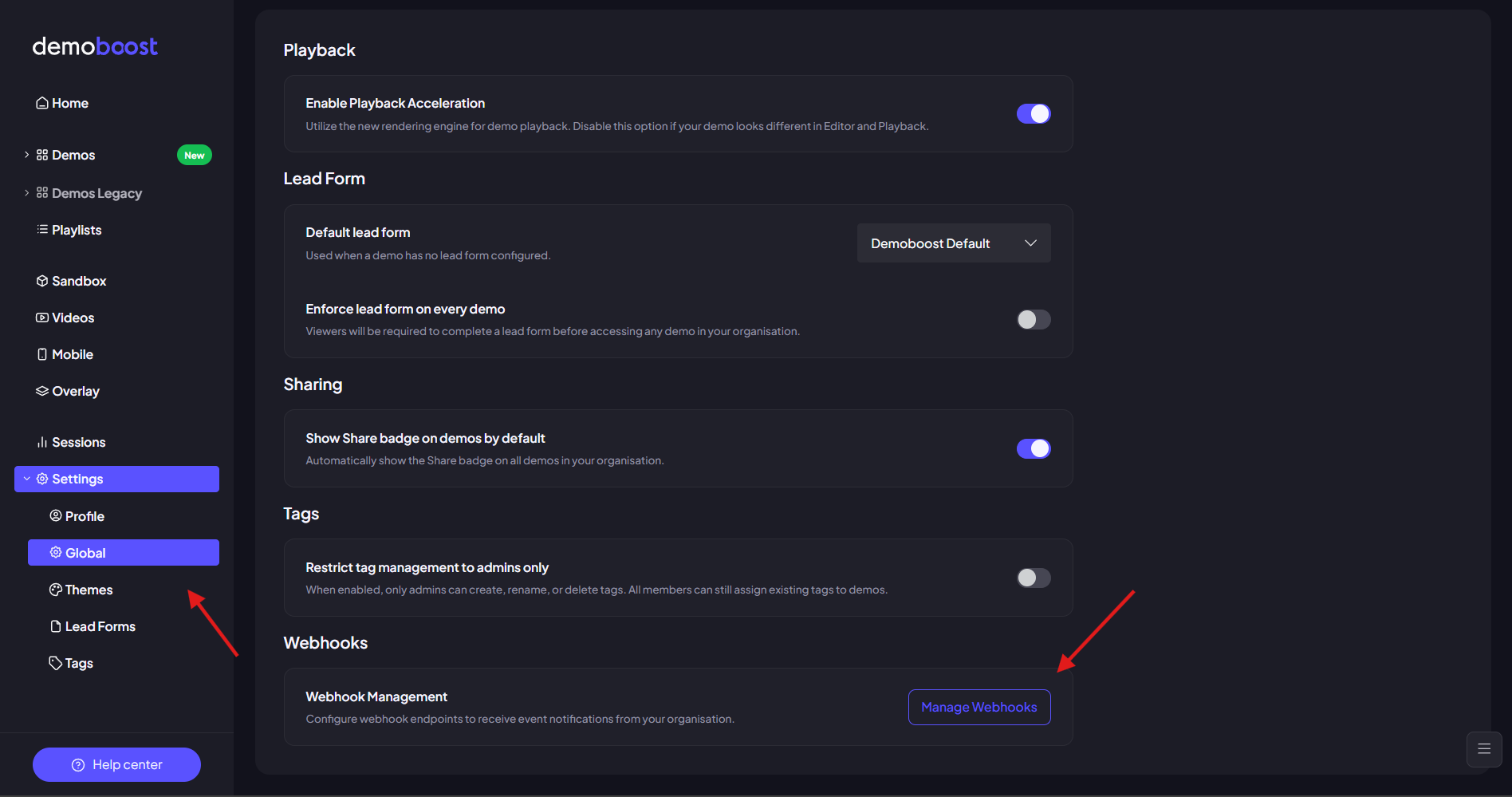
Step 1: Navigate to Global Webhooks
1. Open “Settings” in your DemoBoost organization.
2. Select the “Global” tab.
3. Scroll to the bottom of the page and click “Manage Webhooks”.
Step 2: Create a New Webhook
1. Click “Add new Webhook”.
2. In the popup window:
Once you've configured the webhook, click “Create” to save it.
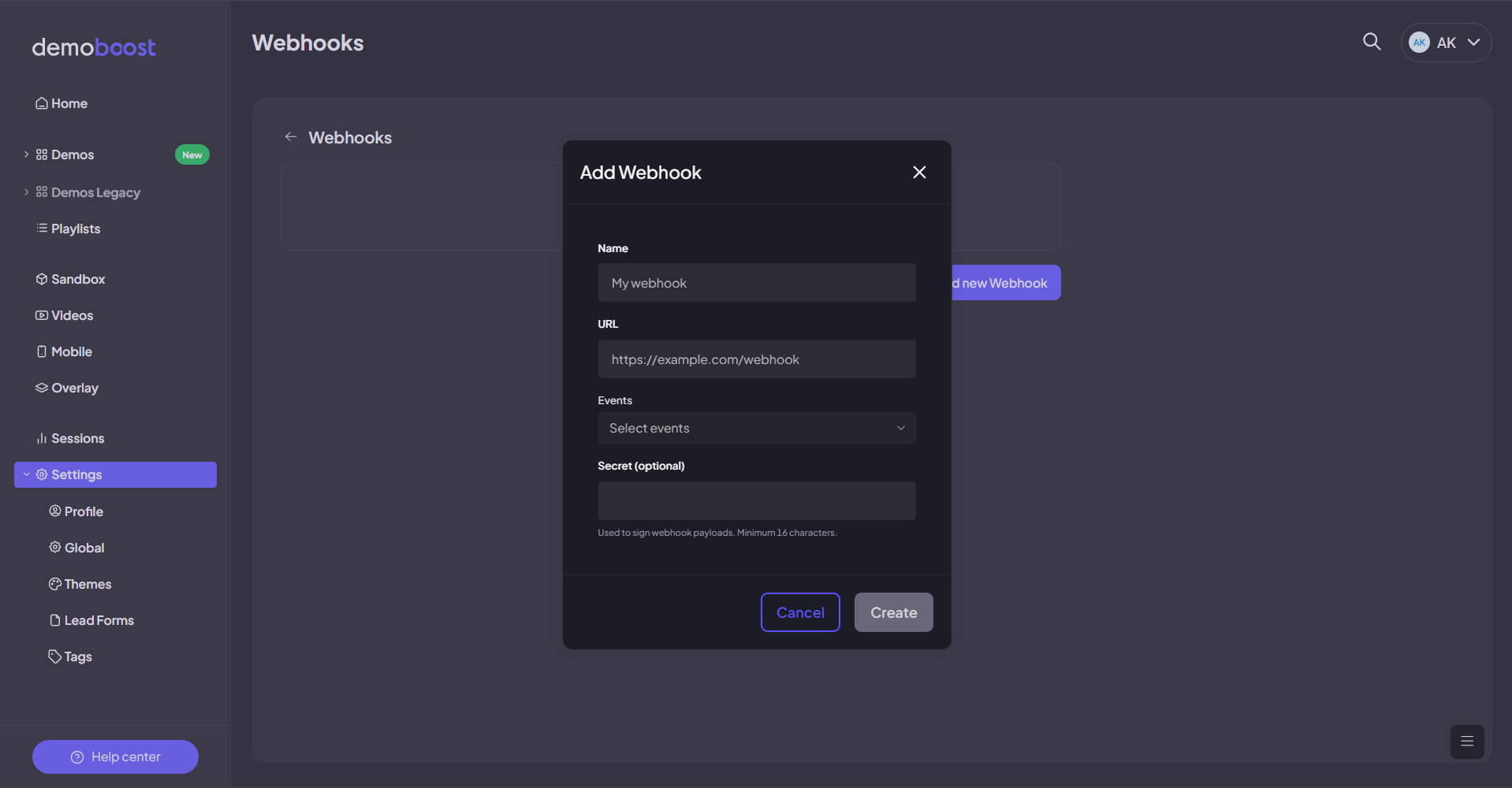
That's it! Your webhook is now active and will automatically send event data to the destination you've connected through Zapier or another integration platform whenever the selected trigger occurs.
For a detailed walkthrough of a real-world setup - an example integration with HubSpot - check out the demo below: