If this editor looks unfamiliar, you're likely using the previous version.
Access the right documentation by clicking on the button.
Whether you're presenting at a trade show, meeting prospects on-site, traveling or working in an environment with restricted Wi-Fi, internet connectivity isn't always something you can rely on. With DemoBoost's Offline Library, you can ensure your demos are always available when you need them.
Once downloaded, demos can be played entirely offline, delivering the same experience as the online version without requiring an internet connection.
Step 1: Open the Offline Library
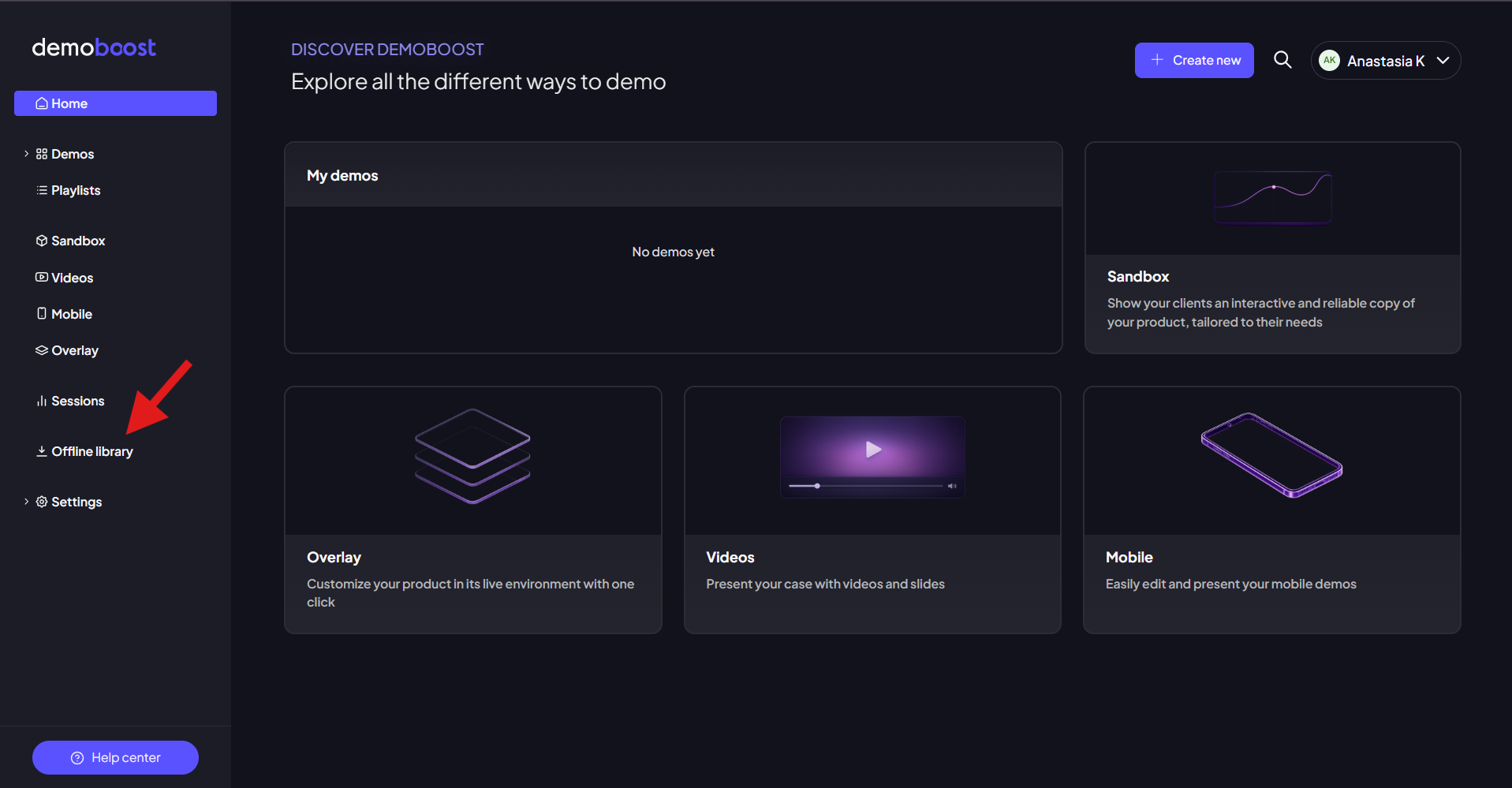
Navigate to the Offline Library from the sidebar menu in DemoBoost. This is where you can access and manage demos available for offline use.
Step 2: Download Demos for Offline Access
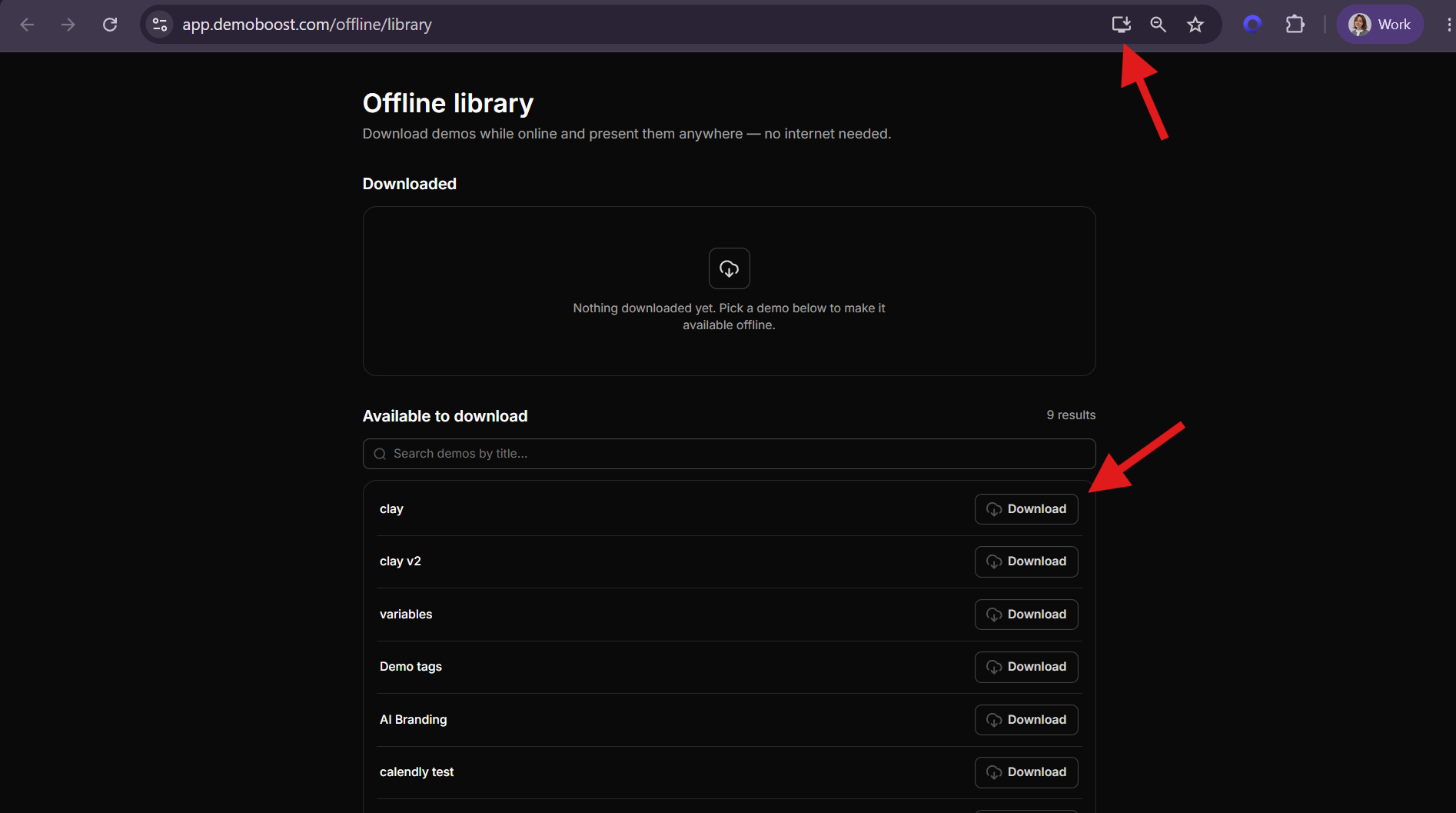
When you open the Offline Library, you'll have the option to continue in your browser or install the DemoBoost Offline App on your device. Installing the app allows you to launch and present demos directly from your computer without opening a browser, making offline presentations even more convenient.
Inside the Offline Library, you'll see all demos available within your organization.
To download a demo:
- Select the demo you'd like to use offline.
- Click Download.
- Wait for the download to complete.
You can download as many demos as needed to ensure they're available before traveling or entering a low-connectivity environment.
Step 3: Play and Manage Downloaded Demos
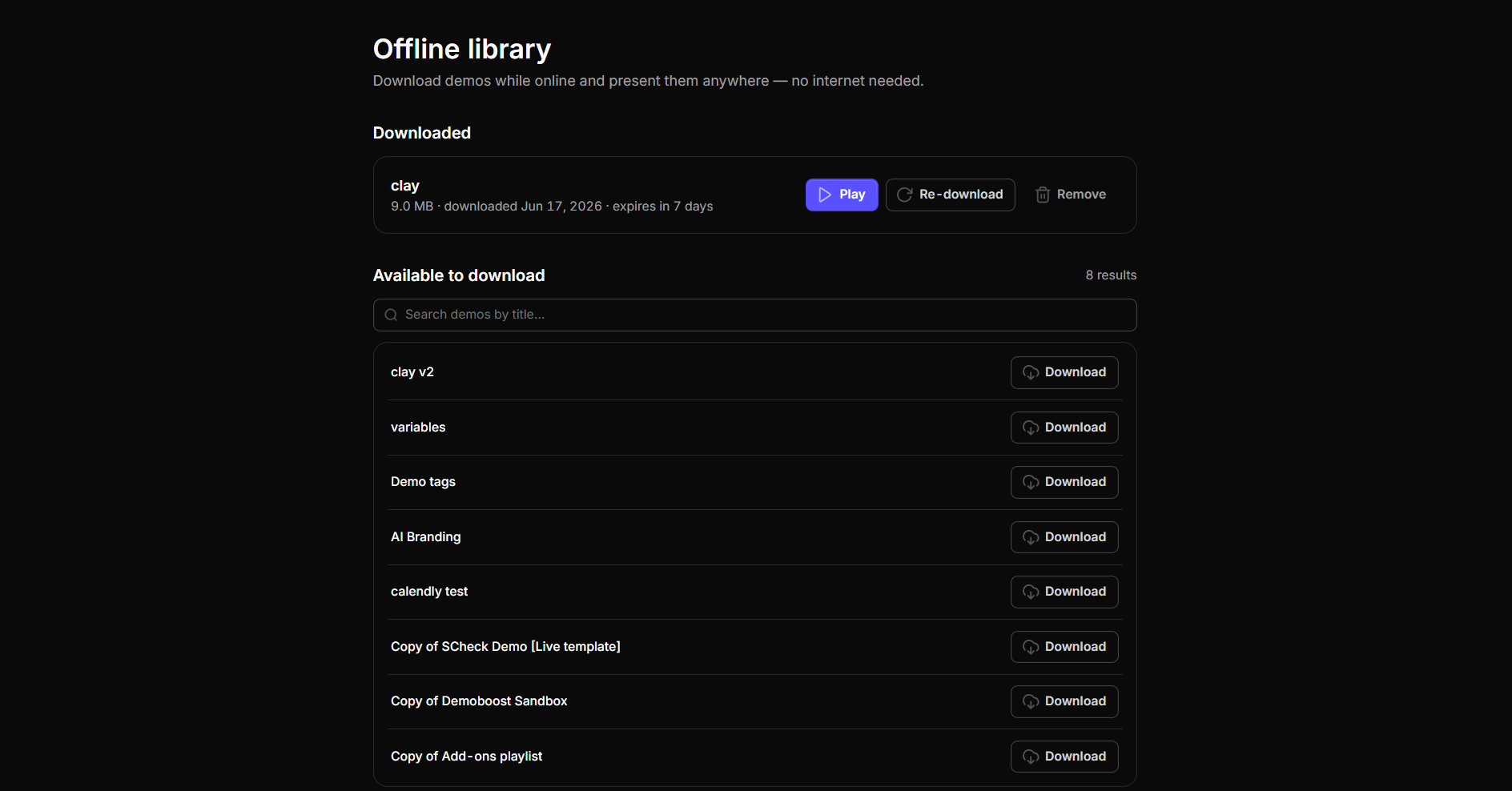
Once a download is complete, the demo is ready to be played offline. Simply open the demo and present as usual.
The Offline Library also allows you to manage downloaded content:
- Re-download a demo to ensure you have the latest version.
- Delete a downloaded demo when it is no longer needed, freeing up storage space.