If this editor looks unfamiliar, you're likely using the previous version.
Access the right documentation by clicking on the button.
Need to share your product demo beyond the browser? With the Demo Export feature, you can turn your demos into videos, PDFs, or animated GIFs and easily reuse them for presentations, sales outreach, and marketing campaigns, including situations where browser access isn't guaranteed or preferred.
Step 1: Open the Demo Export Menu
- Navigate to your Demo Library and open the demo you want to export.
- In the Demo Details view, click the three-dot icon in the top-right corner.
- Select Download from the dropdown menu.
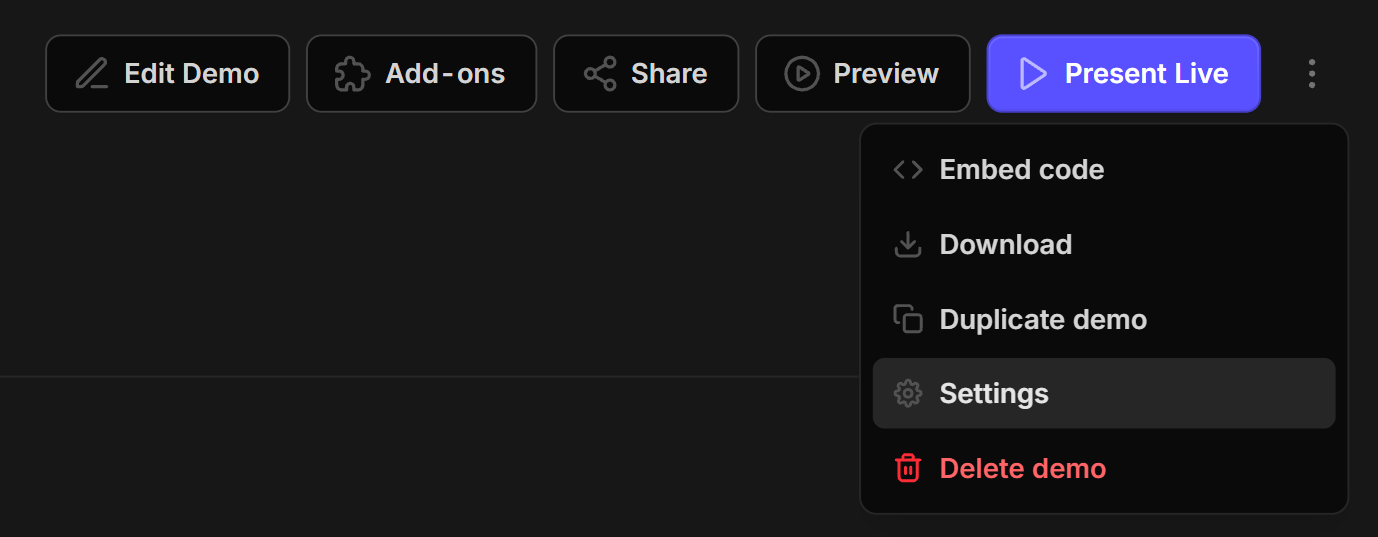
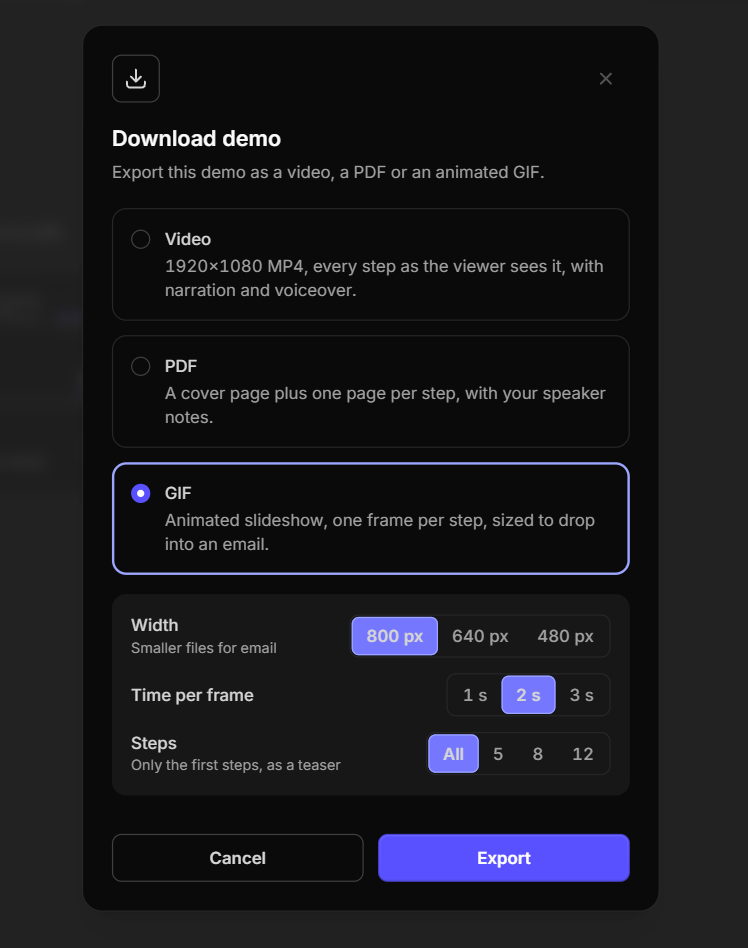
This will open the Download demo window, where you can choose your preferred export format.
Step 2: Choose Your Export Format
Demoboost supports three export formats: Video (MP4), PDF, and GIF. Each format comes with its own customization options.
Option 1: Export as Video (MP4)
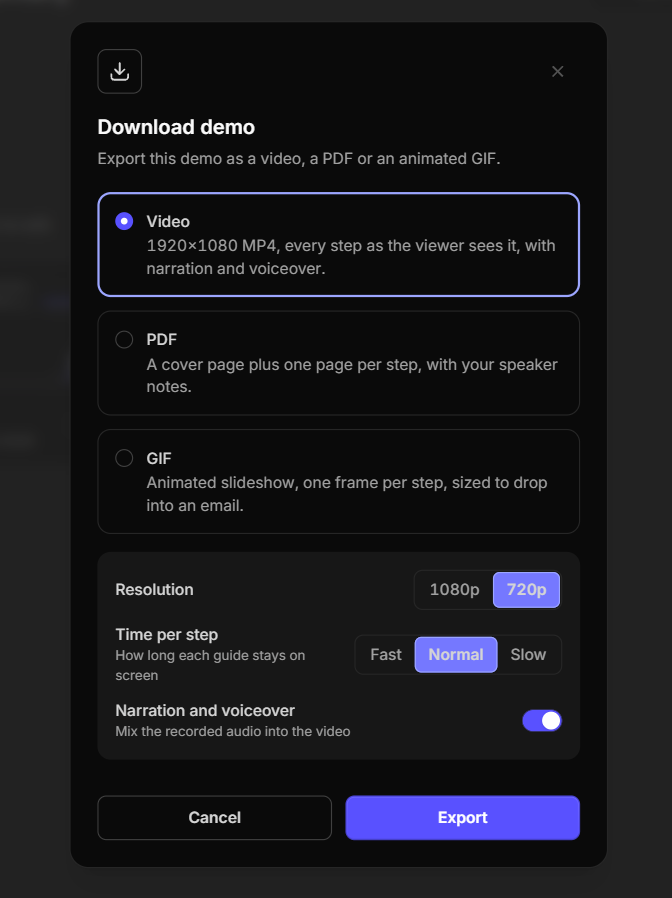
Select Video to turn your interactive demo into an MP4 walkthrough, showing each step as the viewer would see it.
You can customize the following settings:
- Resolution: Choose between 1080p and 720p depending on the video quality and file size you need.
- Time per step: Select Fast, Normal, or Slow to control how long each guide stays on the screen.
- Narration and voiceover: Enable or disable recorded audio\video narration in your exported video.
Note: Video exports are limited to 60 demo screens.
Option 2: Export as PDF
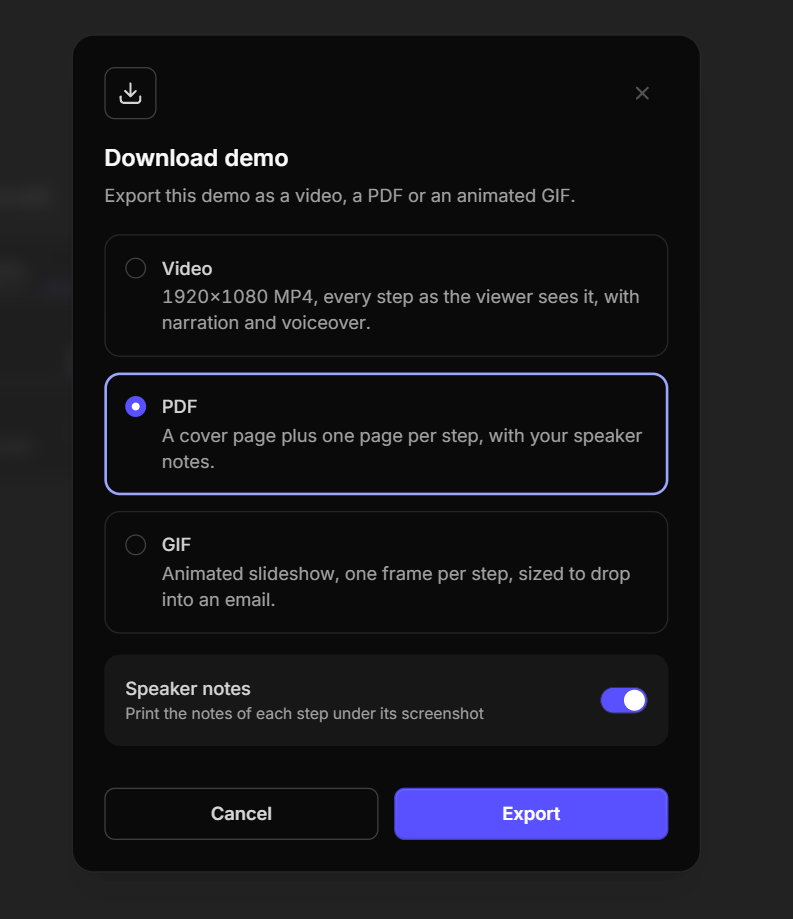
Select PDF to create a document version of your demo, including a cover page and one page for each demo step.
You can customize the following setting:
- Speaker notes: Enable this option to include the notes for each step beneath its screenshot, or disable it to export the demo without notes.
Option 3: Export as GIF
Select GIF to create a short, animated slideshow of your demo screens that can be added to emails and marketing materials.
You can customize the following settings:
- Width: Choose 800 px, 640 px, or 480 px depending on the size you need. Smaller widths are better suited for email campaigns.
- Time per frame: Choose 1, 2, or 3 seconds to control how long each demo step appears.
- Steps: Export all steps or limit your GIF to the first 5, 8, or 12 steps to create a short teaser.
Step 3: Export Your Demo
Once you've selected your format and adjusted the settings:
- Click Export at the bottom of the window.
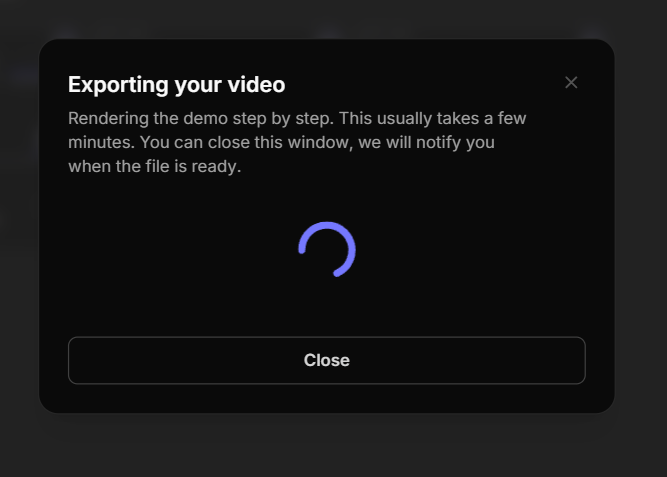
- Demoboost will start rendering your demo in the selected format.
- Wait for the export to finish. This may take a few minutes, depending on the demo and chosen format.
You can close the export window while the file is being prepared. Demoboost will notify you when it's ready.
Step 4: Download Your File
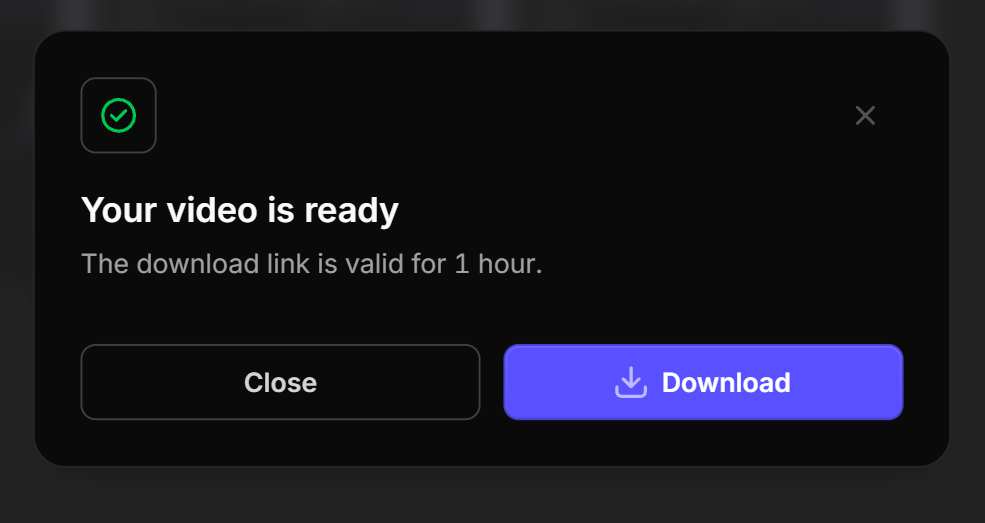
Once the export is complete, you'll receive a notification confirming that your file is ready. Click Download to save your demo in your chosen format.
Note: The download link is valid for 1 hour, so make sure to download your file before it expires.