If this editor looks unfamiliar, you're likely using the previous version.
Access the right documentation by clicking on the button.
Demoboost's Sharing Modal lets you share interactive demos, track viewer engagement, and control who can access your content.
Whether you're sending a demo to an individual prospect, sharing it across your team, or distributing it through marketing campaigns, you can choose from three types of sharing links to fit your needs.
In this article, you'll learn how to create and manage sharing links, configure Lead Forms and Secure Sharing settings, and track viewer engagement.
Step 1: Access the Sharing Modal
Open your demo's Details page and click Share.
The Sharing Modal gives you access to existing links, lets you generate Personalized Links, and allows you to configure sharing settings.
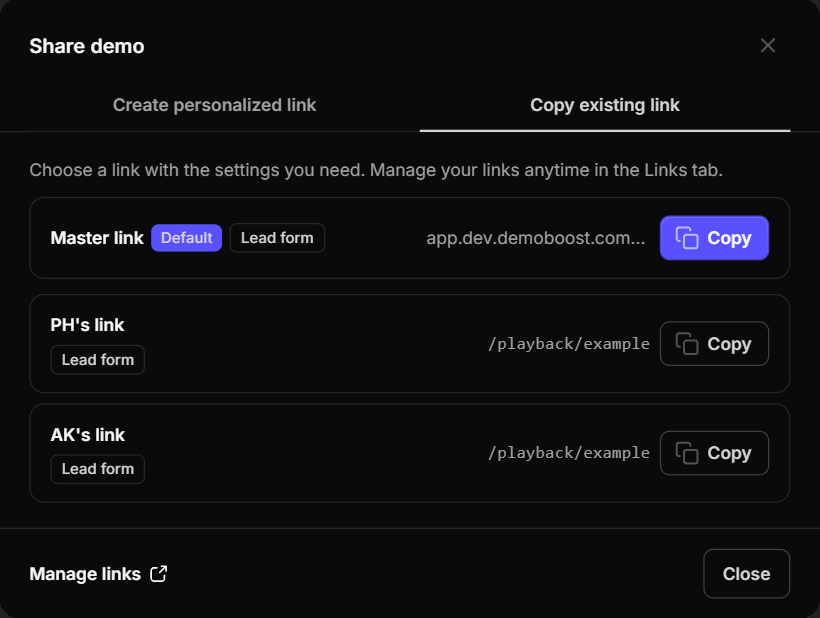
Step 2: Access and Share Existing Links
In the Sharing Modal, navigate to the Existing Links tab.
Here, you'll find:
- Master Link: The organization-wide link associated with the demo.
- Custom Links: Links associated with individual Demoboost users.
These automatically generated links are ready to copy and share.
Note : Already using Demoboost? No worries, your existing links are safe! Your previously generated demo links have simply become Custom Links. Nothing has changed for your prospects or customers, and all the links you've shared will continue working exactly as before.
To access all available links associated with the demo or update their settings, click Manage Links.
Step 3: Manage Master and Custom Links
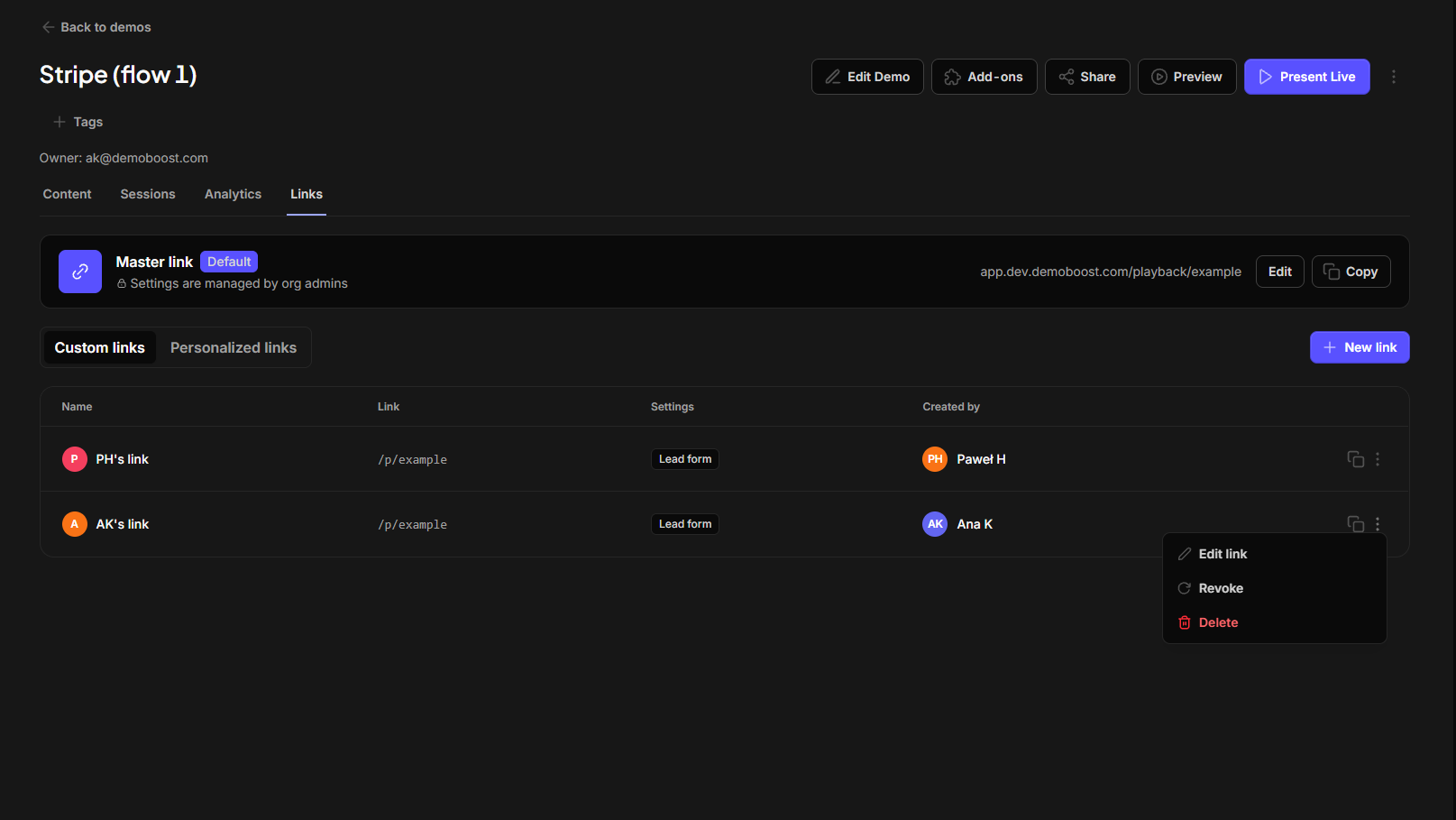
On the Links tab you can view and manage links associated with your demo.
Link visibility and permissions depend on your role:
- Organization Admins can view all links associated with the demo and manage their settings, including the Master Link.
- Regular users can view and manage their own Custom Links and create additional ones for different use cases. Master Link settings can only be edited by Organization Admins.
Managing the Master Link
The Master Link is automatically generated for every demo and managed by Organization Admins.
To update it:
- Locate the Master Link.
- Click Edit.
- Change the link name or update its sharing settings.
- Save your changes.
Managing Custom Links
Below the Master Link, you'll find the available Custom Links.
Each user has their own Custom Link for the demo, but you can create additional links for different use cases to track engagement separately.
You can:
- Add new Custom Links.
- Edit existing links to update their names or sharing settings.
- Delete links you no longer need.
Note: Previously generated user-specific shareable links are available as Custom Links. Their URLs haven't changed and will continue working as usual.
Step 5: Configure Lead Forms and Secure Sharing
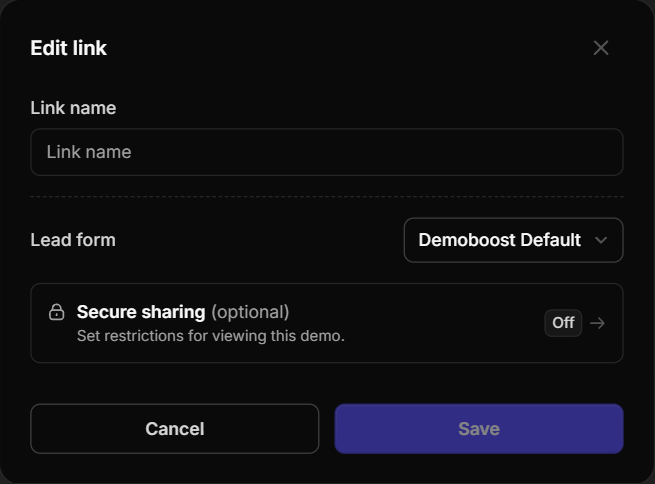
When you click Edit on a Master or Custom Link, the Sharing Modal opens with its available settings.
Here, you can change the link name and select a Lead Form from the dropdown if you'd like to gate your demo, or leave it ungated.
Want to create your own Lead Form? Learn how to build and customize one in our Lead Form guide.
The same modal offers several Secure Sharing options to help you control who can access your demo.
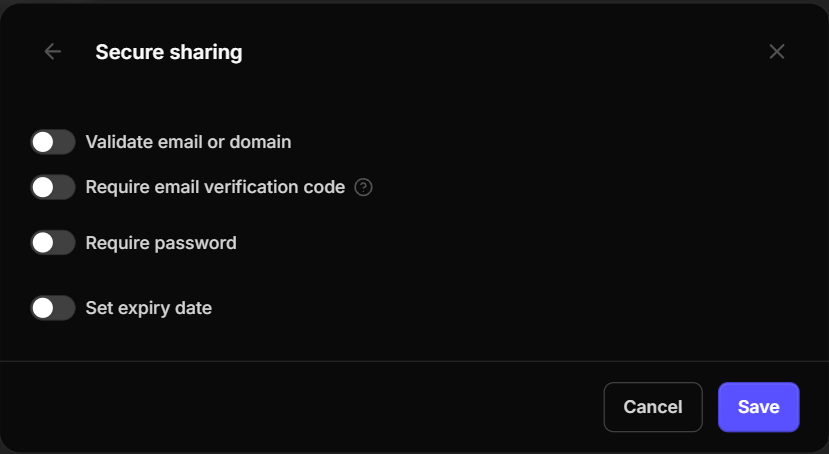
Validate Email or Domain
Allow or restrict access for specific email addresses or entire organizations by specifying a domain (e.g., john@acme.com or @acme.com).
Require Email Verification
Require viewers to verify their identity using a 6-digit code sent to their email before they can access the demo—ideal for sharing sensitive product information.
Password Protection
Secure your demo with a custom password. Viewers will be prompted to enter it before the demo loads.
Set an Expiry Date
Automatically deactivate the demo link after a specified date and time—perfect for time-sensitive demos or controlled access.
Step 6: Create Personalized Links
In addition to automatically generated Master and Custom Links, you can create Personalized Links for individual prospects or customers.
Each Personalized Link is associated with a recipient's email address, allowing you to track their engagement separately, even when the demo is ungated.
Generate a Personalized Link
- Click Share in the top bar menu.
- Enter the recipient's email address.
- Generate the link.
You can also enter multiple email addresses at once. Demoboost will create a separate Personalized Link for each recipient.
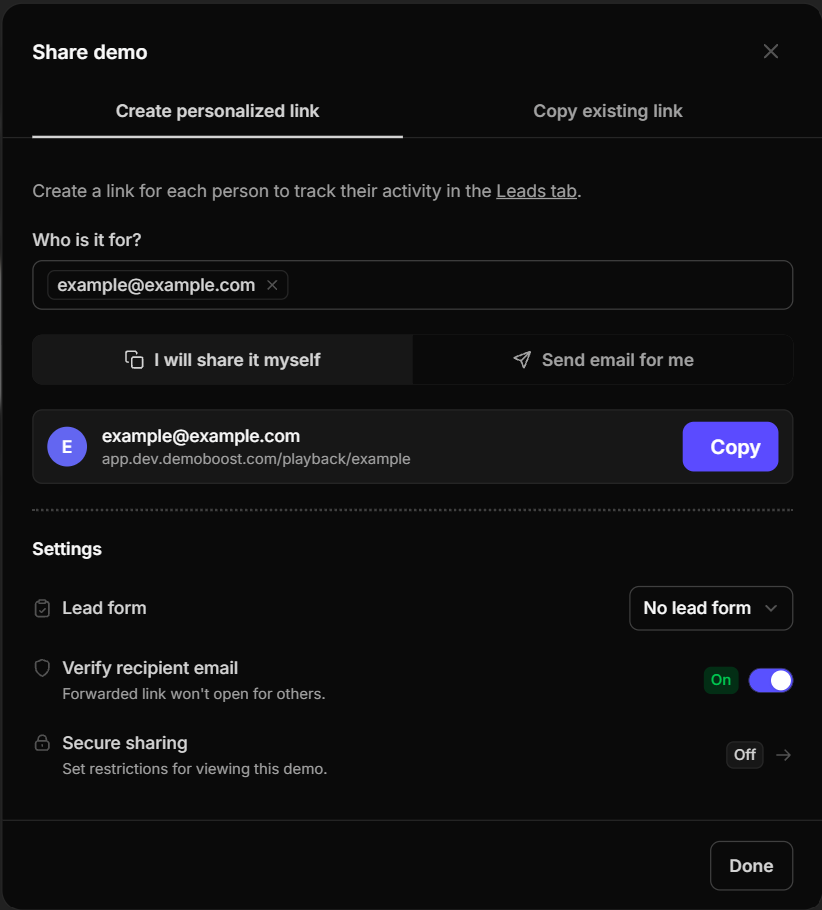
Copy or Send the Link
Once generated, you can:
- Copy the link and share it through email, LinkedIn, your CRM, or another channel.
- Send it directly from Demoboost to the recipient's email address.
Choose Whether to Gate Your Demo
Before sending the link, select a Lead Form if you'd like to collect additional viewer information, or leave the demo ungated.
Because Personalized Links are already associated with each recipient's email address, you can track their engagement without requiring a Lead Form.
This allows you to remove unnecessary friction while still understanding how individual prospects interact with your demo.
Verify the Recipient's Email Address
For additional security, turn on Verify Recipient's Email Address.
When enabled:
- The viewer opens the Personalized Link.
- They're asked to enter their email address.
- If the email matches the one associated with the link, they'll receive a verification code.
- They enter the code to access the demo.
This helps ensure that only the intended recipient can view your content.
You can also configure additional Secure Sharing settings, as described in Step 5.
Note: For Personalized Links, if you've enabled Verify Recipient's Email Address, there's no need to enable additional email validation or verification under Secure Sharing, as these options perform essentially the same security checks.
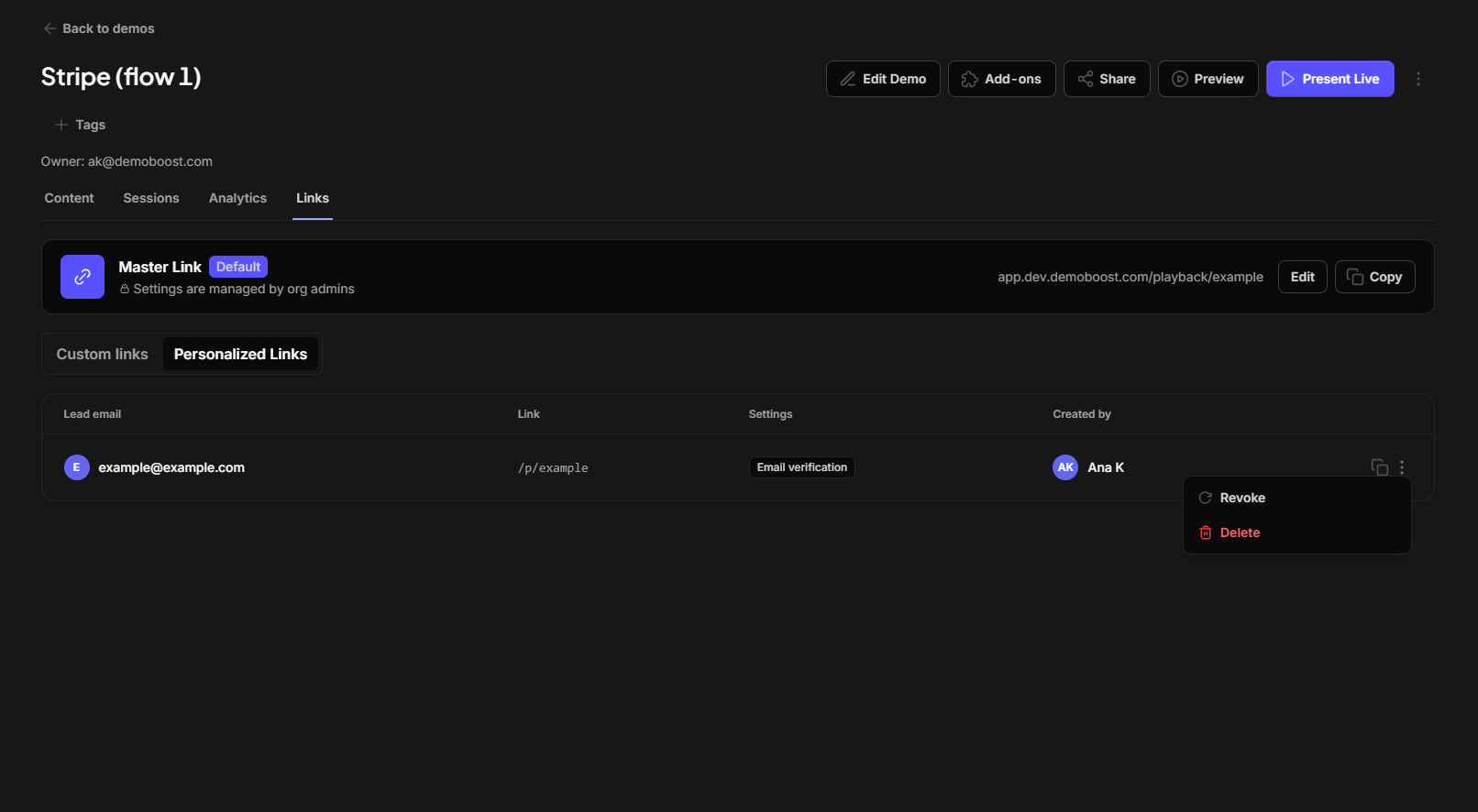
Step 7: Manage Personalized Links and Track Engagement
All Personalized Links associated with a demo can be managed from the Links tab as well.
Here, you can view the Personalized Links created for the demo and their associated recipients.
You can also:
- Revoke access to prevent a recipient from accessing the demo through their link.
- Delete links you no longer need.
- View engagement analytics by clicking the recipient's email address.