If this editor looks unfamiliar, you're likely using the previous version.
Access the right documentation by clicking on the button.
Demo Archive lets you safely remove demos from your main library without losing them. Instead of permanent deletion, archived demos stay accessible and can be restored at any time with their original shareable link.
Step 1: Archive a Demo from Your Library
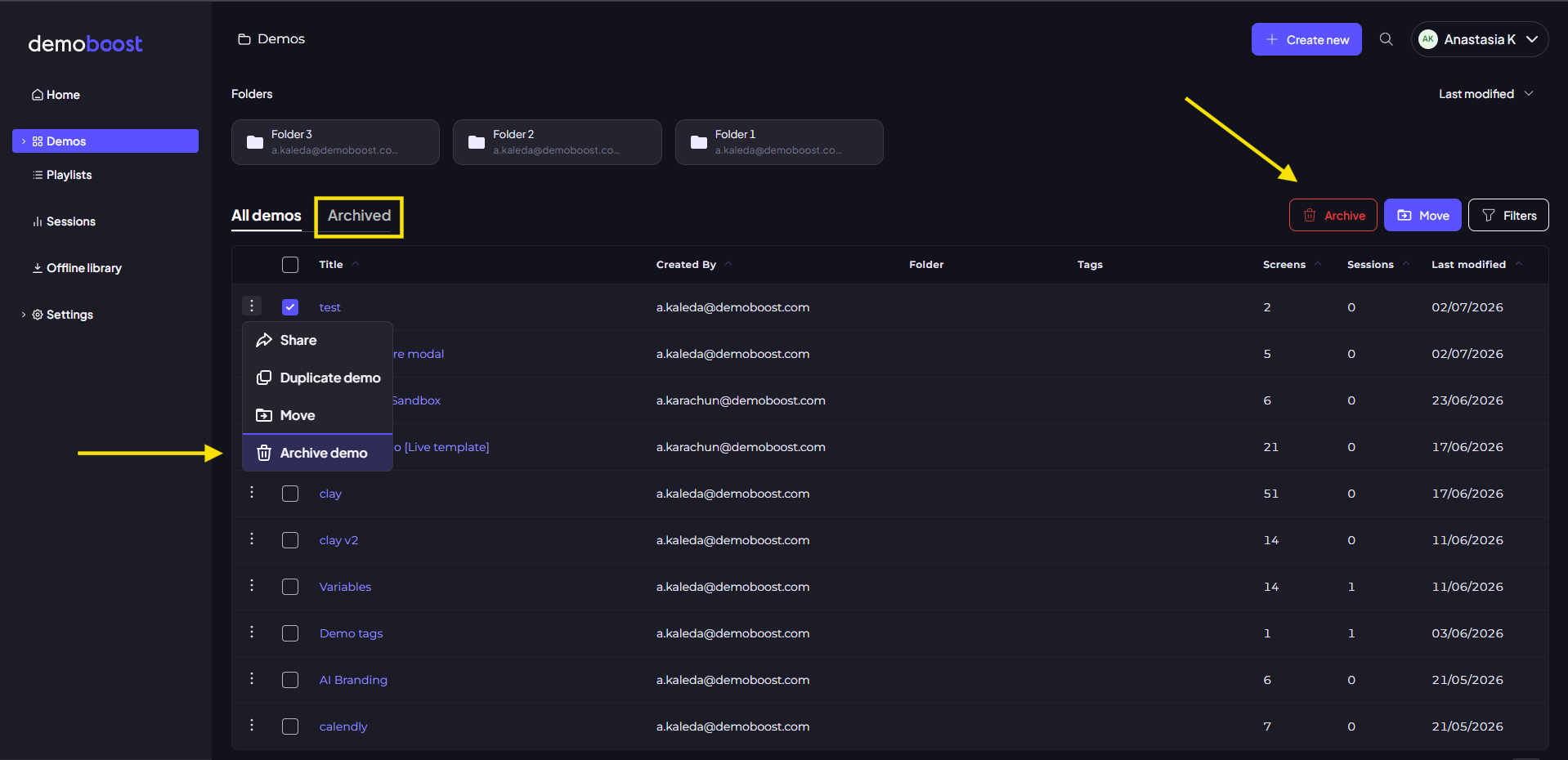
To archive a demo, go to your Demo Library.
You can archive the demo in two ways:
- Open the the three-dot menu next to the demo name and select Archive Demo
- Or select multiple demos and use the Archive button in the action bar above the demo list
Step 2: Manage Archived Demos
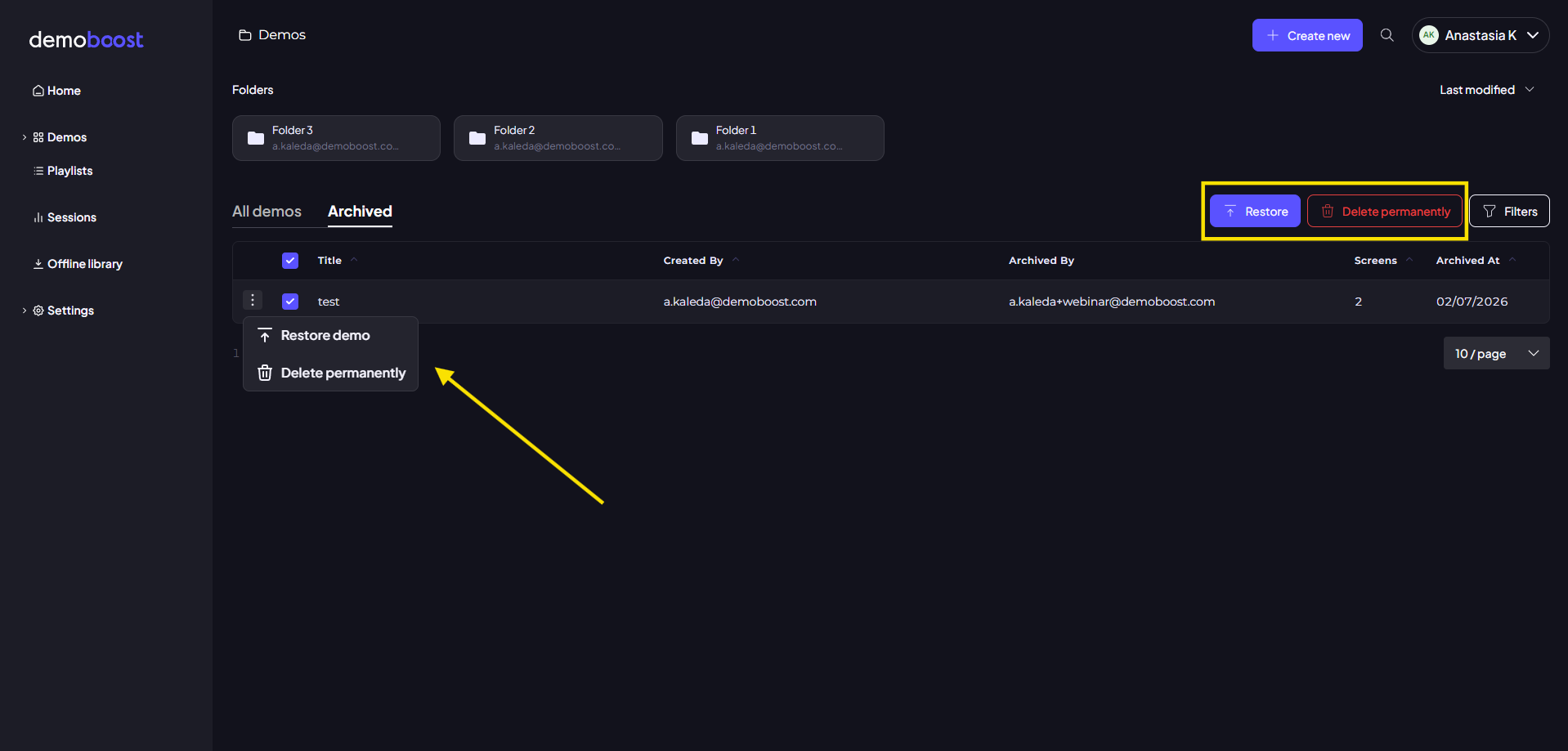
Open the Archive tab to view all archived demos.
From here you can:
- Restore a demo back to your library
- Permanently delete a demo if it’s no longer needed
! Note
- Archived demos stay in their current state at the time of archiving and remain fully restorable with the same shareable link
- Separate screens deleted before archivation are not recoverable and not included in Archive
Step 3: Access & Permissions
- Admins can see all archived demos across the organization
- Users can only see demos they create. This ensures safe and controlled management across teams.