Effortlessly kickstart your journey with our beginner-friendly guides!
Demo flows can be constructed by linking multiple screens together to create a transition between them. This will allow you to progress from one view to another, simulating a real app.
Step 1: Open the Demo page


Step 2: Open up the demo in the editor.

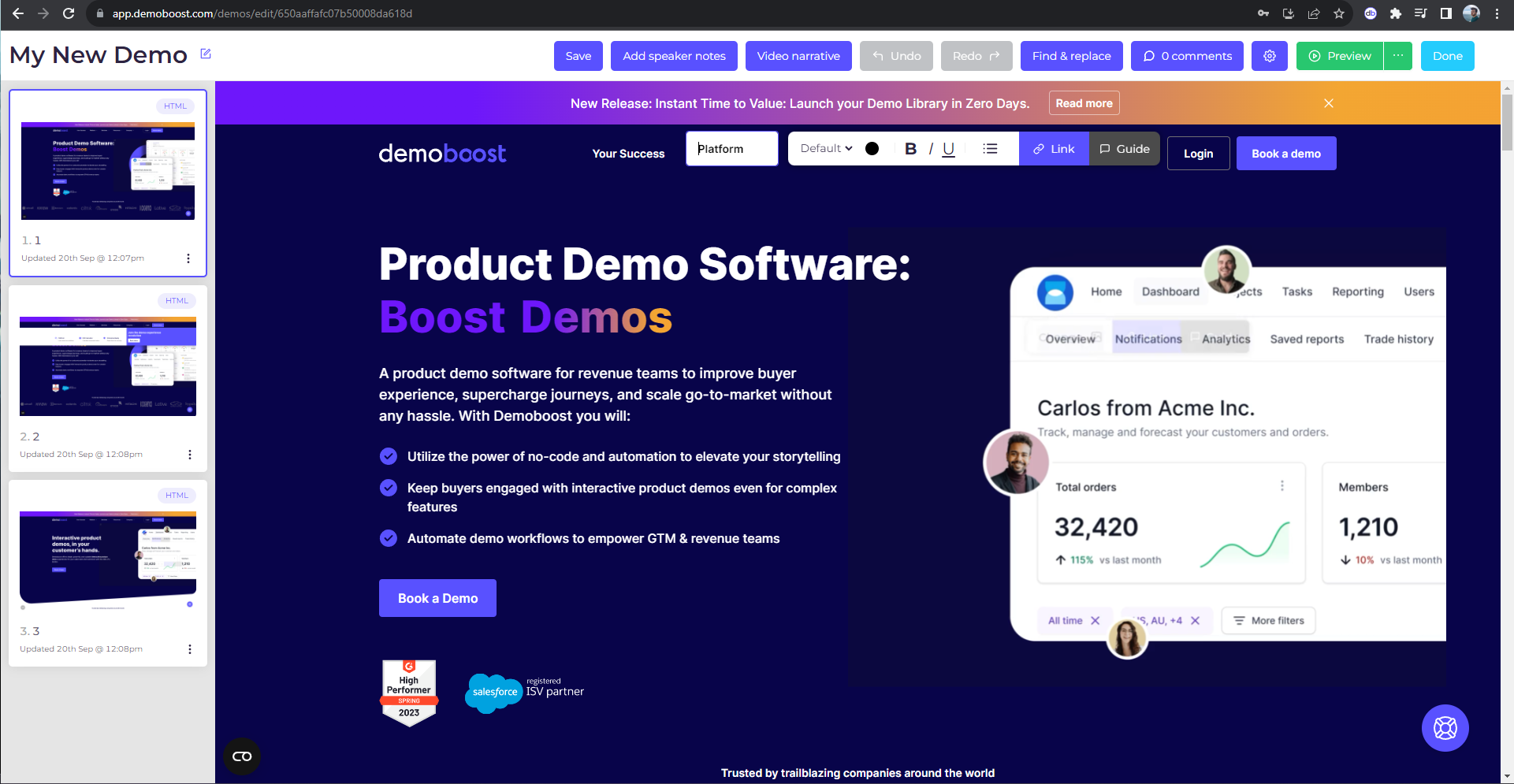
Step 3: Hover over the element that should trigger the transition to another screen.
Step 4: Click on the Link button.
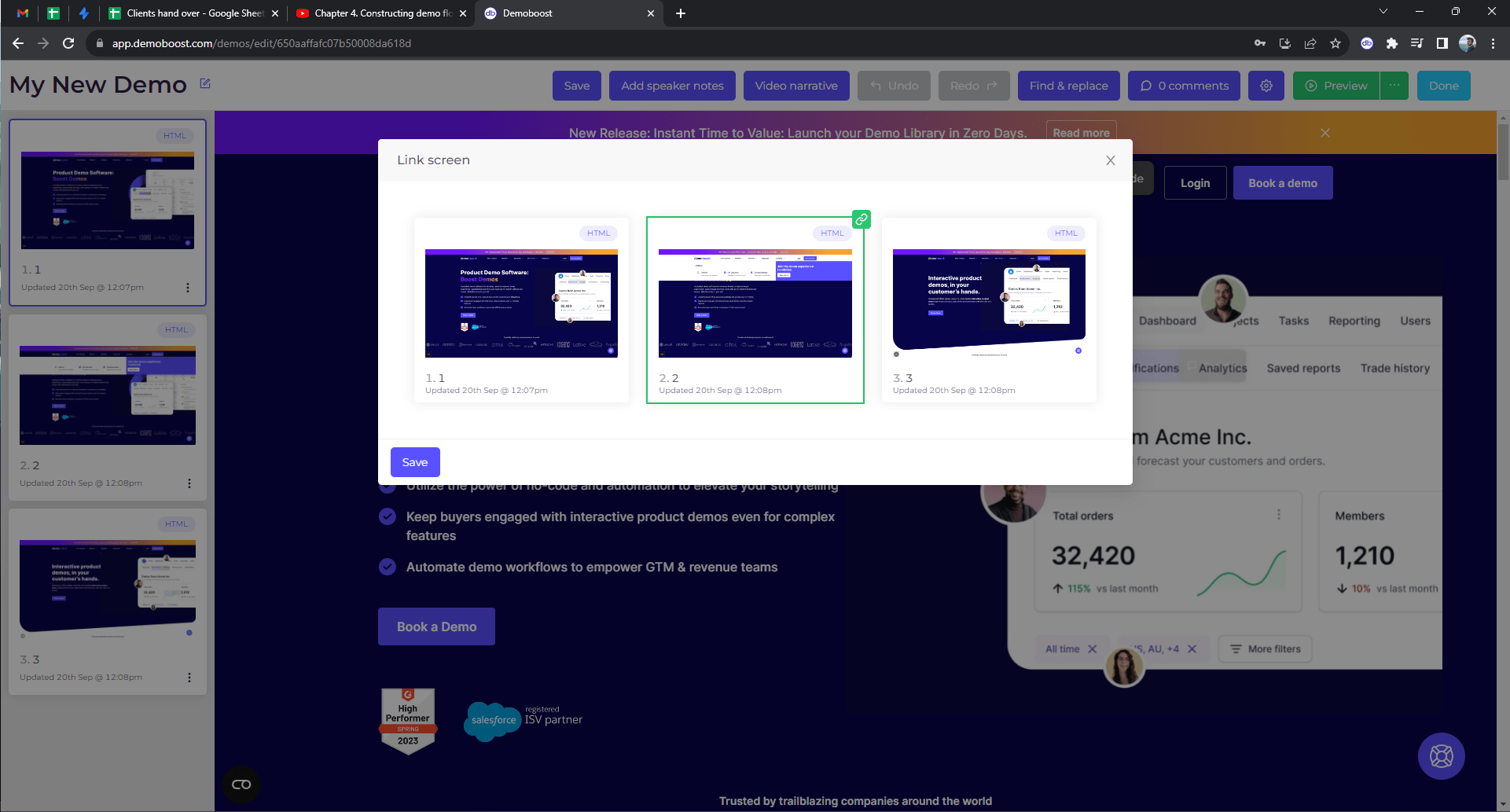
Step 5: Choose the target screen and click on Save.
Step 6: The linked element will have a blue border around it.
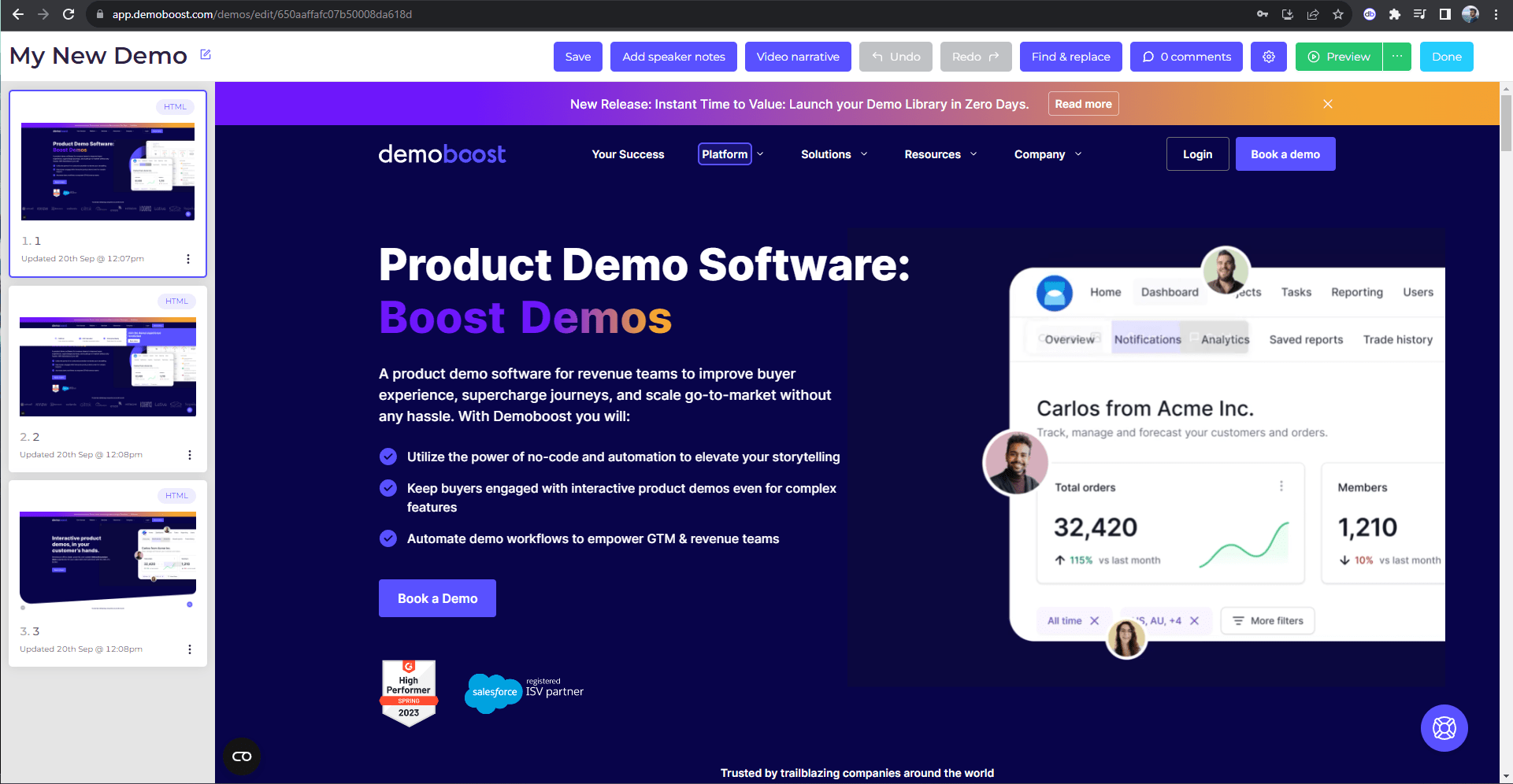
Step 7: Result
